PluginsFeatures
Introducing multi-environment management in ReadyCMS
Learn how ReadyCMS’ Multi-environment manager separates development, testing, staging, and production so teams can build and test changes...

A customer can receive an order, be completely satisfied, and still never return to leave a review.
Usually, there is no complicated reason. They move on to something else, forget where the review form is, or simply do not think about leaving feedback unless someone asks.
A review reminder email gives them that prompt. Instead of manually following up with customers after every order, you can send a short request once they have had enough time to receive and use what they bought.
In this guide, we'll cover what makes a useful review request, when to send it, mistakes to avoid, and how the ReadyCMS “Rate us” email reminder automates the process.
Online shoppers cannot inspect a product before buying it. Product descriptions and images provide the basics, but reviews can add details that only appear after someone has actually used the product.
A customer might mention sizing, packaging, delivery, durability, installation, or a use case that was not covered in the original product description. Reviews can also help a store identify recurring problems and understand what customers value most.
But a good experience does not automatically result in a review.
A customer may receive the product, use it, and move on without ever returning to your website. Common reasons include:
A reminder reduces that gap by contacting the customer after purchase and linking them directly to where they can share their experience.
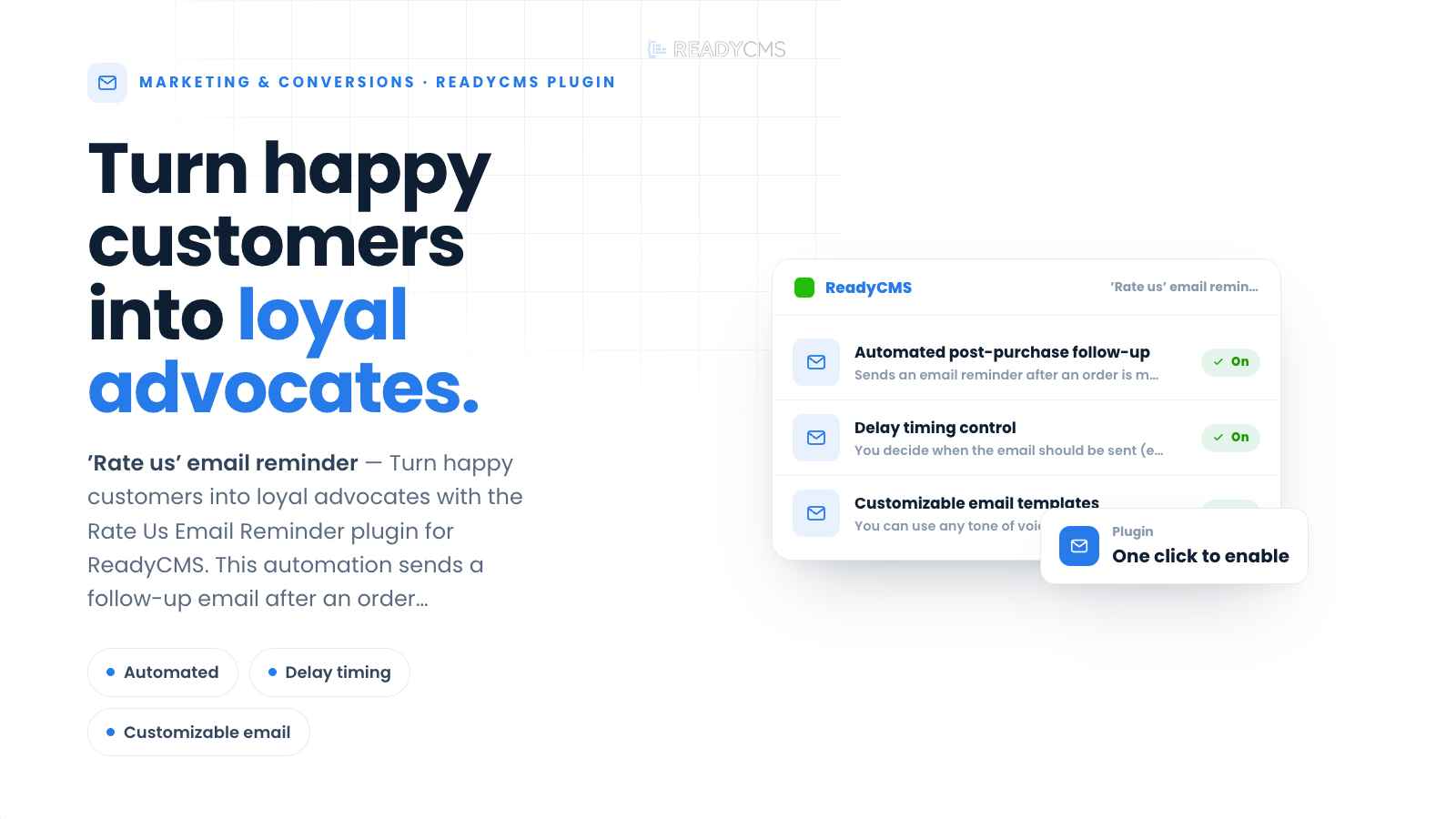 ReadyCMS can automate the review request after an order is completed.
A review reminder email is a post-purchase message asking a customer to rate a product, service, or overall buying experience.
The request does not need to be long. In most cases, the customer already knows what they bought and who they bought it from. The email only needs to explain why you are contacting them and give them a clear way to respond.
Thank the customer, ask for feedback, and provide the link.
A review request is not the place to repeat the original sales pitch, promote several other products, or explain the company again. The more content you add around the request, the easier it becomes to miss the action you actually want the customer to take.
The email should sound like the other messages your customers receive from you.
A professional service business may keep the request formal. A lifestyle store may use a warmer tone. A more playful brand can use light humor if that already matches its communication.
The important part is that the request remains clear.
Ask customers to share their experience rather than asking specifically for a five-star or positive review.
Positive reviews can help future buyers, but constructive feedback is useful too. It can reveal problems with products, delivery, packaging, support, or another part of the buying experience.
A review reminder works best when there is one obvious next step.
For example:
Avoid surrounding the main button with several competing links to promotions, social media pages, account settings, or unrelated content.
Do not send customers to your homepage and expect them to find the review form themselves.
Whenever possible, link directly to the relevant product review page, feedback form, survey, or external review profile. Every additional step gives the customer another opportunity to abandon the process.
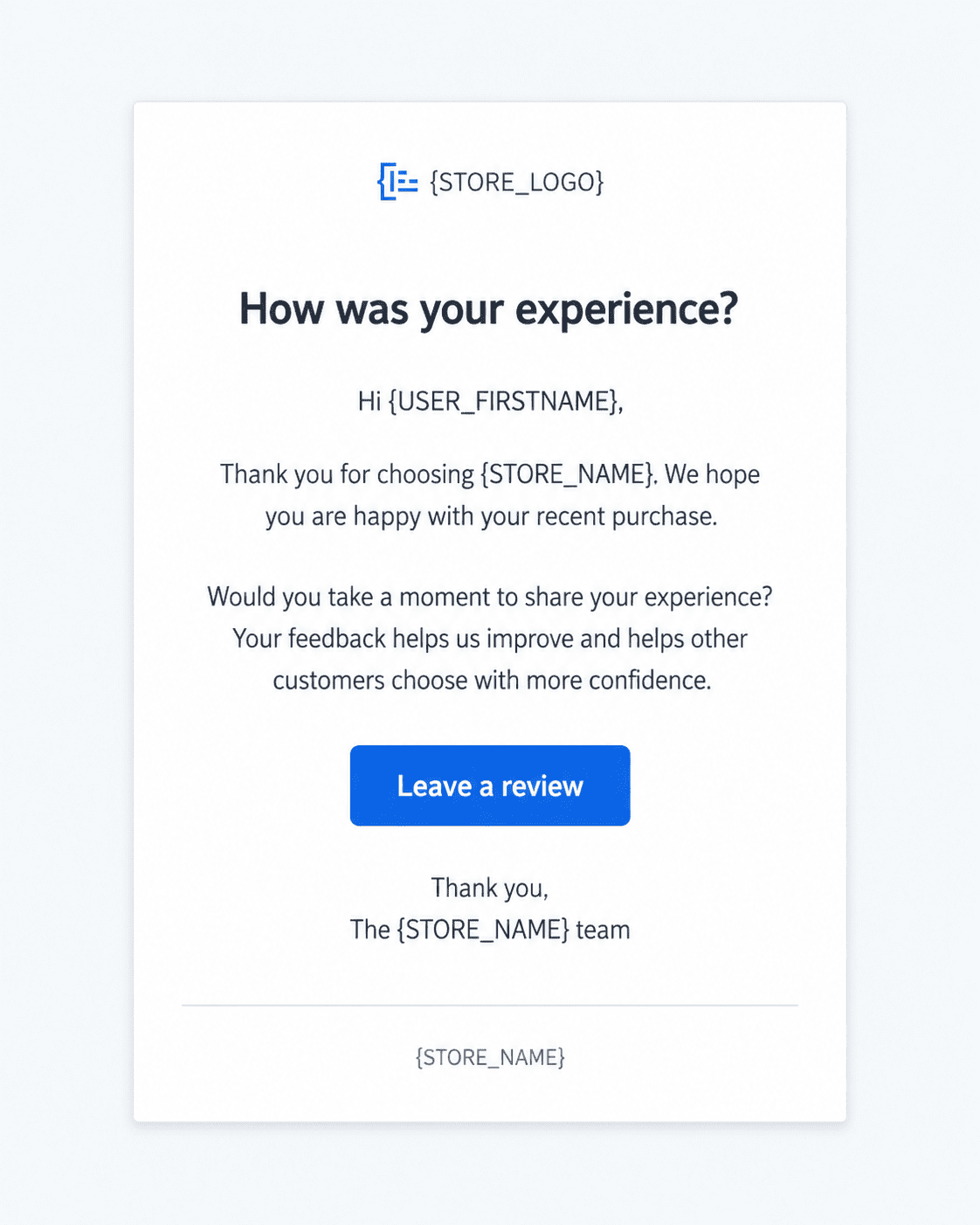 A review reminder can use your own message, tone, and call to action.
No single delay works for every store.
The right timing depends on how long delivery normally takes and how much time the customer needs before they can give useful feedback.
A product that can be evaluated immediately may need only a short delay. Something that needs to be installed, worn, tested, or used repeatedly may need more time.
The goal is to avoid both extremes: asking before the customer has had a fair chance to evaluate the purchase, or waiting until the order is barely remembered.
ReadyCMS timing tip:
The “Rate us” email reminder starts its countdown when an order is marked Complete.
If your store marks orders Complete before the customer physically receives them, include your normal delivery time when choosing the delay.
The email itself can be simple, but a few small decisions can make the request less useful.
| Mistake | What can go wrong | What to do instead |
|---|---|---|
| Sending the email too early | The customer may not have received the order or had enough time to use it. | Choose a delay that reflects your normal fulfillment process and the type of product you sell. |
| Waiting too long | The purchase details may no longer be fresh in the customer's mind. | Send the request after they have had time to evaluate the purchase, but while the experience is still recent. |
| Writing too much | A simple request starts to feel like another email the customer has to read through. | Keep the review request short and make the main link immediately visible. |
| Using several competing calls to action | The customer has to decide which action the email is really asking them to take. | Give the review or feedback action priority over promotions, social links, and unrelated content. |
| Making the message sound demanding | A review is optional, and wording that suggests otherwise can create unnecessary friction. | Ask directly but politely, and make it clear that you want the customer's honest experience. |
| Asking only for positive reviews | It makes the request less neutral and can reduce the usefulness of the feedback you receive. | Invite customers to share their experience, whether it was positive or negative. |
| Using a broken or unclear link | The customer clicks the email but cannot find or complete the review. | Test the destination before activating the reminder, including on mobile devices. |
The ReadyCMS “Rate us” email reminder turns the review request into an automatic post-purchase workflow.
The process is straightforward:
That means the trigger is tied to the order status in ReadyCMS rather than requiring someone on your team to remember which customers need to be contacted.
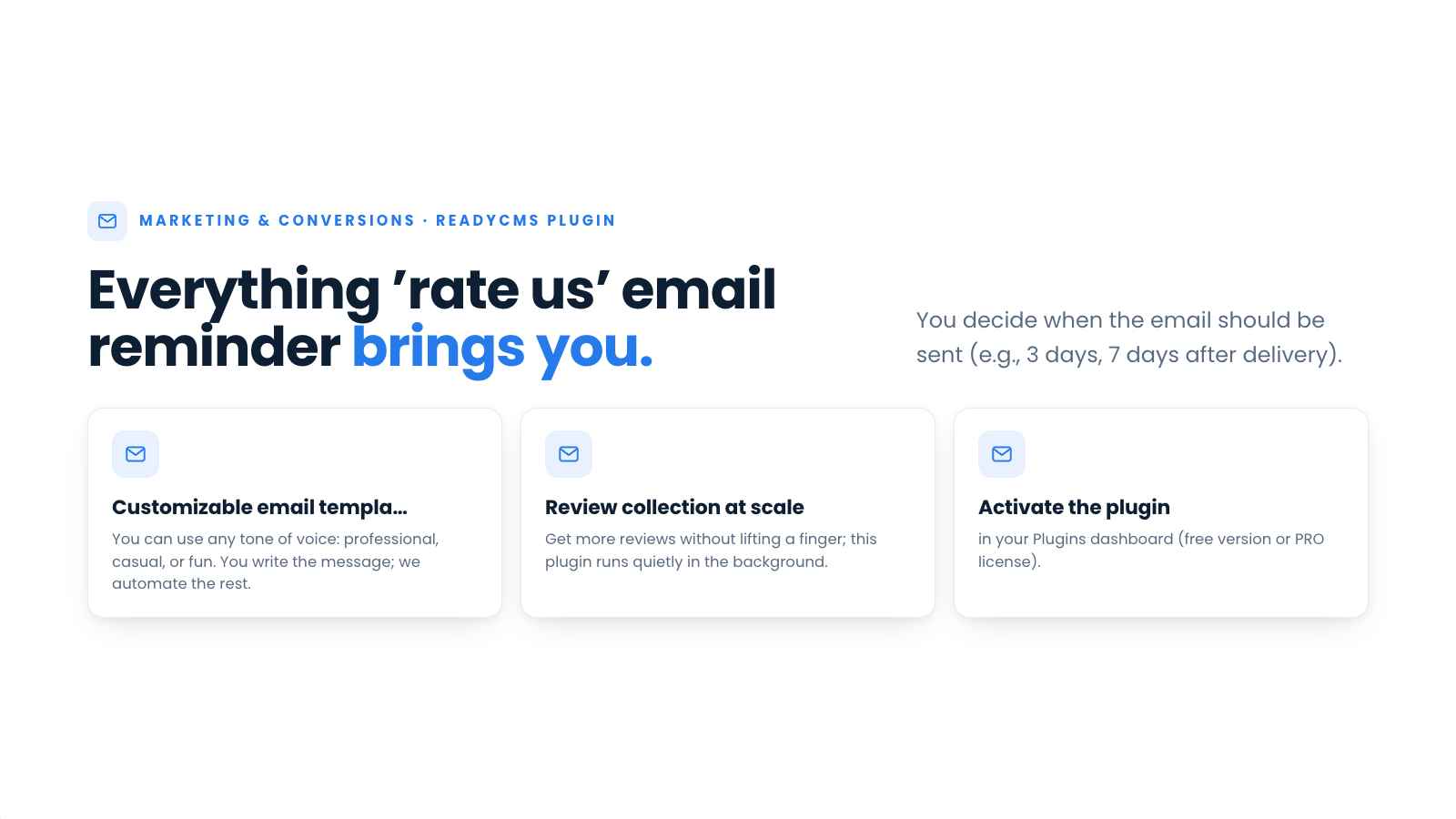 The plugin connects completed orders with a configurable review request.
You decide how many days should pass after the order reaches Complete status.
The correct value depends on your own fulfillment workflow. If you normally mark an order Complete only after delivery, the delay can focus on giving the customer time to use the product. If you set Complete earlier, the delay should also account for the expected delivery period.
You control the email rather than relying on a fixed ReadyCMS message.
You can configure:
This lets the reminder follow the same tone and terminology as your other customer communication.
The plugin does not limit the call to action to one review platform.
The destination can be:
Choose the destination that matches what you want to learn from the customer and make that the main action in the email.
Using a third-party review service?
Check that platform's current invitation rules before activating the email. Review services may have their own requirements for how businesses request feedback.
Once the plugin is configured, ReadyCMS monitors completed orders, keeps track of the selected delay, and sends the email automatically.
Your team does not need to export lists of completed orders, create reminders, or contact each customer individually.
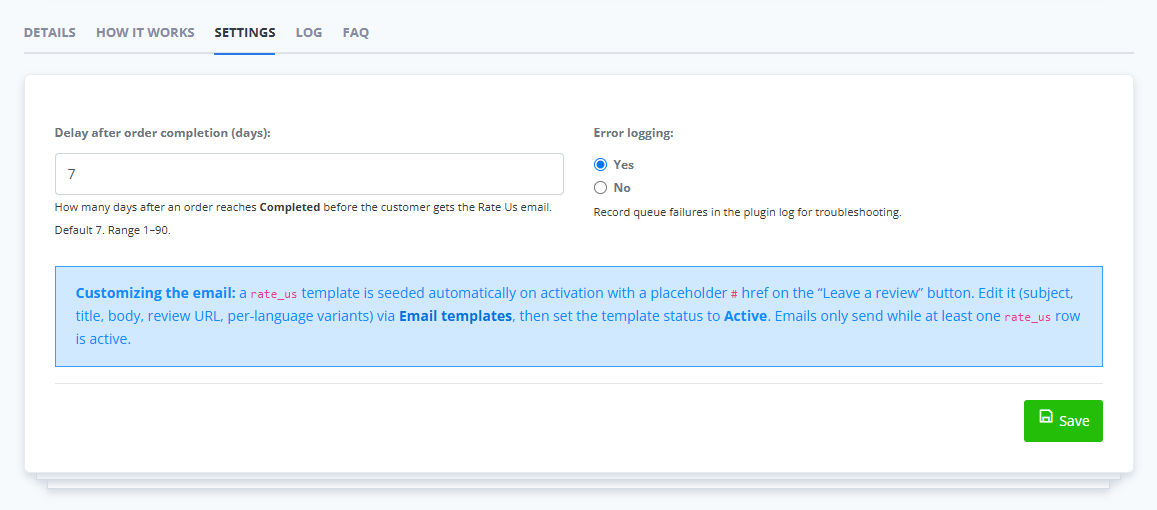 Set the delay, prepare the email, and let ReadyCMS send it after qualifying orders are completed.
A review request does not need to become another manual task after every sale.
With the ReadyCMS “Rate us” email reminder, you decide when to contact customers, what the message says, and where the call to action leads. ReadyCMS watches for completed orders and sends the request after the configured delay.
The customer still decides whether to leave a review. The plugin gives you a consistent process for asking at the right point in your post-purchase workflow.
Explore the “Rate us” email reminder for ReadyCMS and automate your post-purchase review requests.
1. What is a review reminder email?
A review reminder email is a post-purchase message that asks a customer to rate a product, service, or overall buying experience. It is usually sent after the customer has received the order and had enough time to evaluate it.
2. When should I ask a customer for a review?
The timing depends on your delivery process and the product itself. Send the request after the customer has had enough time to receive and use the purchase, but before the experience becomes distant.
3. Can I customize the ReadyCMS review reminder email?
Yes. You can configure the subject line, email message, call-to-action text, review destination, and the number of days ReadyCMS should wait before sending the email.
4. When does the ReadyCMS reminder countdown begin?
The countdown begins when the order is marked Complete. ReadyCMS then waits for the number of days configured in the plugin before sending the email.
5. Can I link to Google, Trustpilot, or my own review form?
Yes. The call to action can lead to a product review form, internal feedback page, Google, Trustpilot, a survey, or another review destination. If you use a third-party service, check its current rules for review invitations.
Learn how ReadyCMS’ Multi-environment manager separates development, testing, staging, and production so teams can build and test changes...
See how opens, clicks, open rate, and click rate reveal what works—and how ReadyCMS Mail Metrics turns every send into useful feedback.
Build a practical three-email abandoned cart sequence with recommended timings, subject line ideas, message examples, and ReadyCMS...
Learn why customers leave products in their carts, what you can improve during checkout, and how automated ReadyCMS emails can help...
ReadyCMS Assistants can simplify your website tasks, enhance SEO, and improve content quality with expert guidance.
Book a demo or talk with our team about putting these ideas to work.