PluginsFeatures
Introducing multi-environment management in ReadyCMS
Learn how ReadyCMS’ Multi-environment manager separates development, testing, staging, and production so teams can build and test changes...

Running an online store means moving between very different kinds of work.
You may start the day checking orders, open a product missing an image, switch to an email template, review traffic, and later discover that an important account or security setting still needs attention.
The hard part isn't always finding the data. It is noticing the right issue while you are already working in that part of ReadyCMS.
That is the role of ReadyCMS Assistants.
Assistants are named advisors built into the ReadyCMS Admin. They watch for specific conditions and surface a recommendation, warning, or next step on the relevant page.
Think of them less as a chatbot and more as an extra set of eyes inside the Admin.
Generic advice is easy to ignore.
“Improve your SEO” does not tell a store team what is wrong. “Check your inventory” does not identify which product needs attention.
ReadyCMS Assistants work from specific checks instead.
The current Assistants system includes 43 active checks across eight areas. Depending on where you are working and the current state of the store, an Assistant can surface issues such as:
The message appears in context rather than in a generic list elsewhere in the platform.
For example, a catalog-related issue can appear while you are working with products. An email-related observation can appear while you are working with an email template.
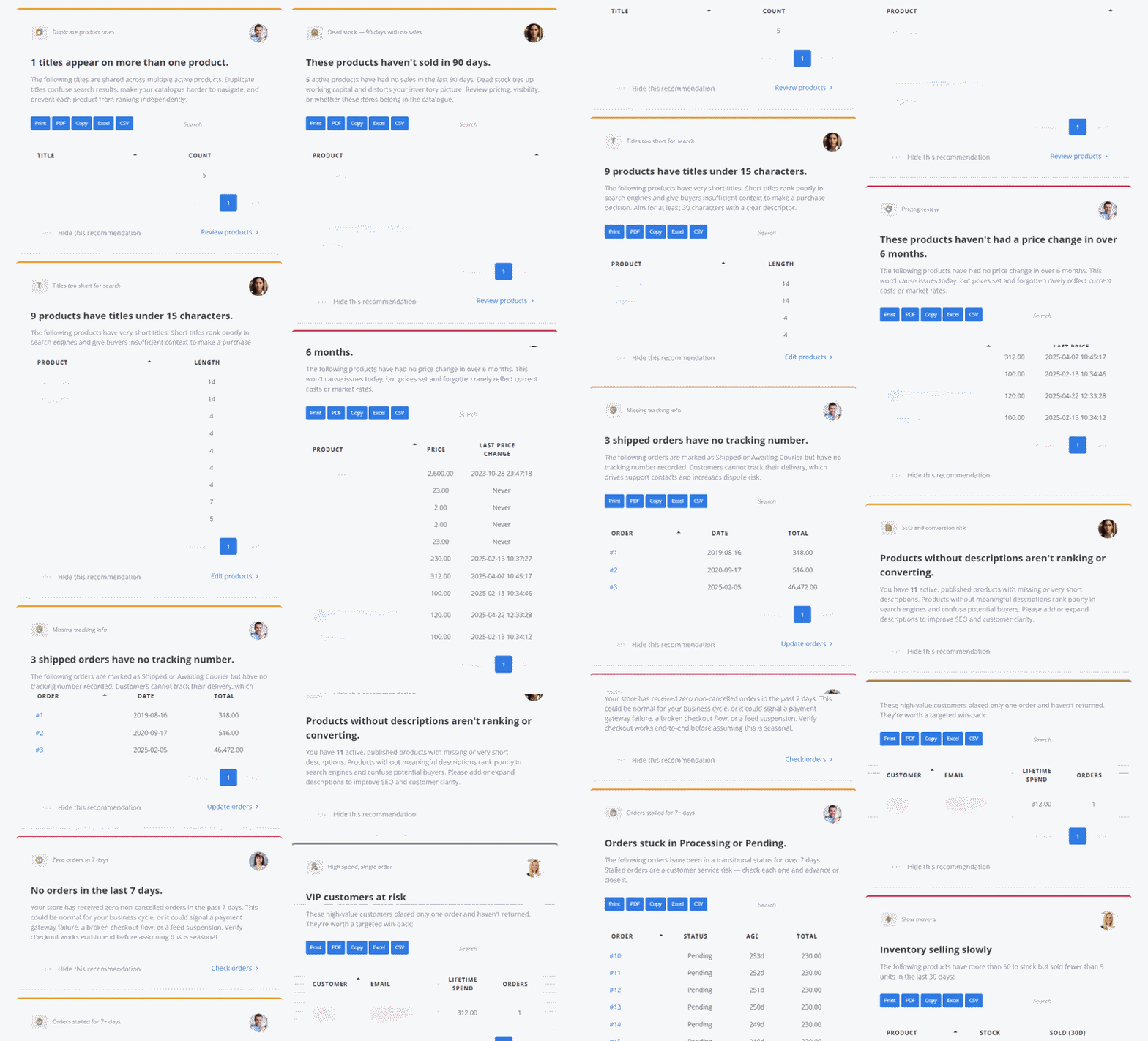 Assistants surface observations while you are already working in the relevant part of ReadyCMS.
Different problems need different context, so ReadyCMS does not present every observation through one generic assistant.
The current advisor team is divided by area:
| Assistant | Focus |
|---|---|
| Matthias | Security |
| Robert | Operations |
| Maria | Store health and setup |
| Ada | SEO |
| Emilie | |
| Julia | Customer engagement |
| Eric | Analytics |
| Martha | Product catalog |
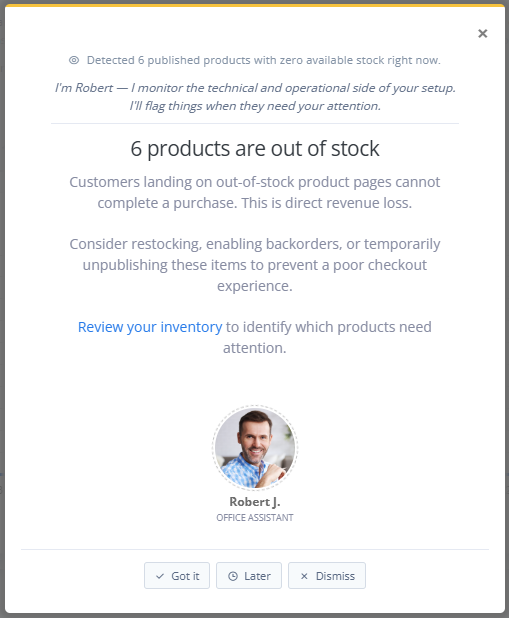
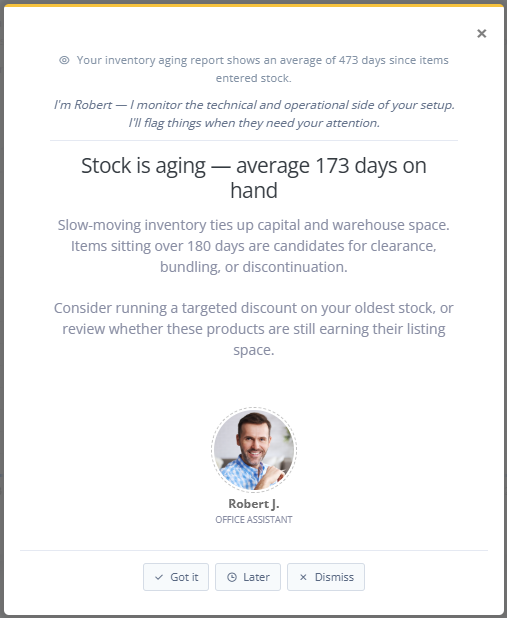
The characters make the type of observation easier to recognize before you even read the full message.
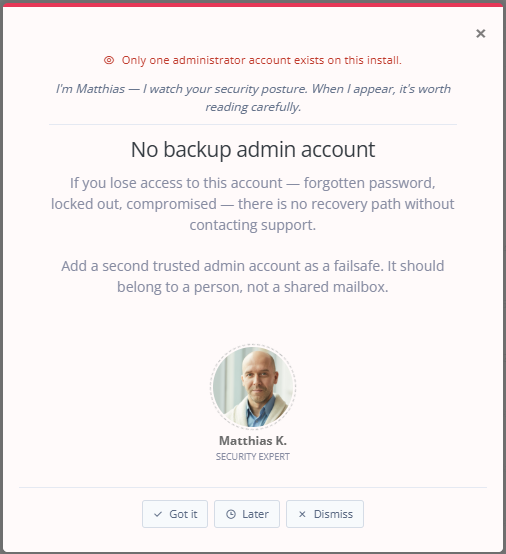
If Matthias appears, you know the message relates to security. If Martha appears while you are working with products, the issue is connected to the catalog.
This is more useful than presenting every warning, tip, and recommendation with the same visual treatment.
 |
 |
Assistants are designed to speak up when the observation matches what the user is currently doing.
That matters because the same issue can be useful on one page and distracting on another.
An inventory warning makes sense while someone is working with stock. An email recommendation is more useful while a template is being edited than while the same user is processing an order.
ReadyCMS therefore combines the detected condition with page context before surfacing an Assistant message.
The goal is not to show more notifications. It is to show a useful observation where the user can act on it.
If several conditions are true at the same time, showing them all at once would create another problem: notification noise.
ReadyCMS prioritizes Assistant messages instead.
Security issues come first. Operational issues follow. Advisory tips appear when nothing more urgent needs to surface.
Only one Assistant message is shown at a time on a page.
This means a lower-priority suggestion does not compete with a more important security or operational issue for the user's attention.
 |
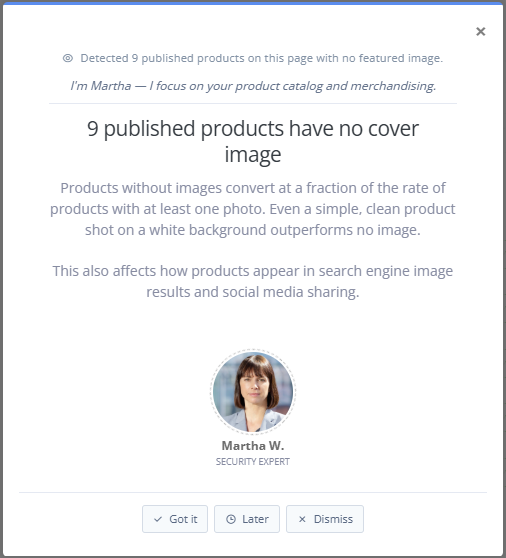 |
A useful recommendation system also needs to remember what the user already did.
ReadyCMS gives users several ways to respond to Assistant messages.
This prevents the same recommendation from becoming background noise.
The Assistant can surface the issue, but the user still decides whether and when to act on it.
 Assistant messages respond to the current context and remember how users handle them.
A dashboard can tell you what happened. An Assistant can add context about something that may require action.
For example, seeing that stock is low is information.
An Assistant can identify a low-stock condition while you are working in the relevant area and direct you to where it can be reviewed.
The same principle applies across other areas of the platform.
A missing product image, incomplete SEO field, inactive analytics setup, or security configuration issue becomes more useful when the message identifies the condition and points toward the relevant part of ReadyCMS.
This does not mean every Assistant recommendation is automatically the correct business decision.
The user still has the context the system may not have: campaign plans, supplier information, internal priorities, exceptions, or other reasons why a particular condition exists.
Assistants reduce the work of finding the issue. They don't replace the user's judgment.
ReadyCMS also has a separate Recommendations feature, so the distinction is important.
Recommendations is the scheduled store audit. ReadyCMS runs a broader set of checks every week and presents the results as a list to review together.
Assistants work while you are using the Admin. They surface a specific observation on the relevant page at the moment it becomes useful.
| Recommendations | Assistants |
|---|---|
| Scheduled weekly review | Contextual guidance while you work |
| Several store checks reviewed together | One relevant observation at a time |
| Useful for a regular store-health review | Useful when an issue relates to the page you are already using |
The two features therefore support different rhythms of store management: a scheduled review and the smaller issues that appear during everyday work.
Assistants are particularly useful when one person or a small team handles several parts of the store.
Someone managing ecommerce operations may understand orders well but spend less time thinking about SEO. A content manager may recognize a weak product description immediately but not regularly check security configuration. A store owner may move between all of those areas in the same day.
The Assistants do not replace specialists in those fields.
They add another layer of checks inside ReadyCMS, so common gaps are easier to spot before someone has to remember to look for them manually.
That is a more realistic role than promising that one feature can replace an SEO consultant, security professional, marketer, analyst, or operations manager.
The useful part of ReadyCMS Assistants is not the characters themselves. It is what sits behind them.
Specific conditions are checked across the store. The relevant Assistant appears in context. Higher-priority issues surface first. The message points toward an action, and ReadyCMS remembers when the user resolves, snoozes, or dismisses it.
That turns Assistants from decorative notifications into a practical part of everyday store management.
Meet the ReadyCMS Assistants →
Learn how ReadyCMS’ Multi-environment manager separates development, testing, staging, and production so teams can build and test changes...
Learn how to ask customers for reviews without sounding pushy, including timing tips, email examples, common mistakes, and ReadyCMS...
See how opens, clicks, open rate, and click rate reveal what works—and how ReadyCMS Mail Metrics turns every send into useful feedback.
Build a practical three-email abandoned cart sequence with recommended timings, subject line ideas, message examples, and ReadyCMS...
Learn why customers leave products in their carts, what you can improve during checkout, and how automated ReadyCMS emails can help...
Book a demo or talk with our team about putting these ideas to work.