

PostNord for ReadyCMS
Streamline your shipping operations with the PostNord plugin for ReadyCMS, designed for seamless integration with Sweden’s leading logistics service. Enhance your e-commerce platform with efficient order handling, real-time tracking, and enhanced customer satisfaction through direct printing capabilities and advanced API integrations.
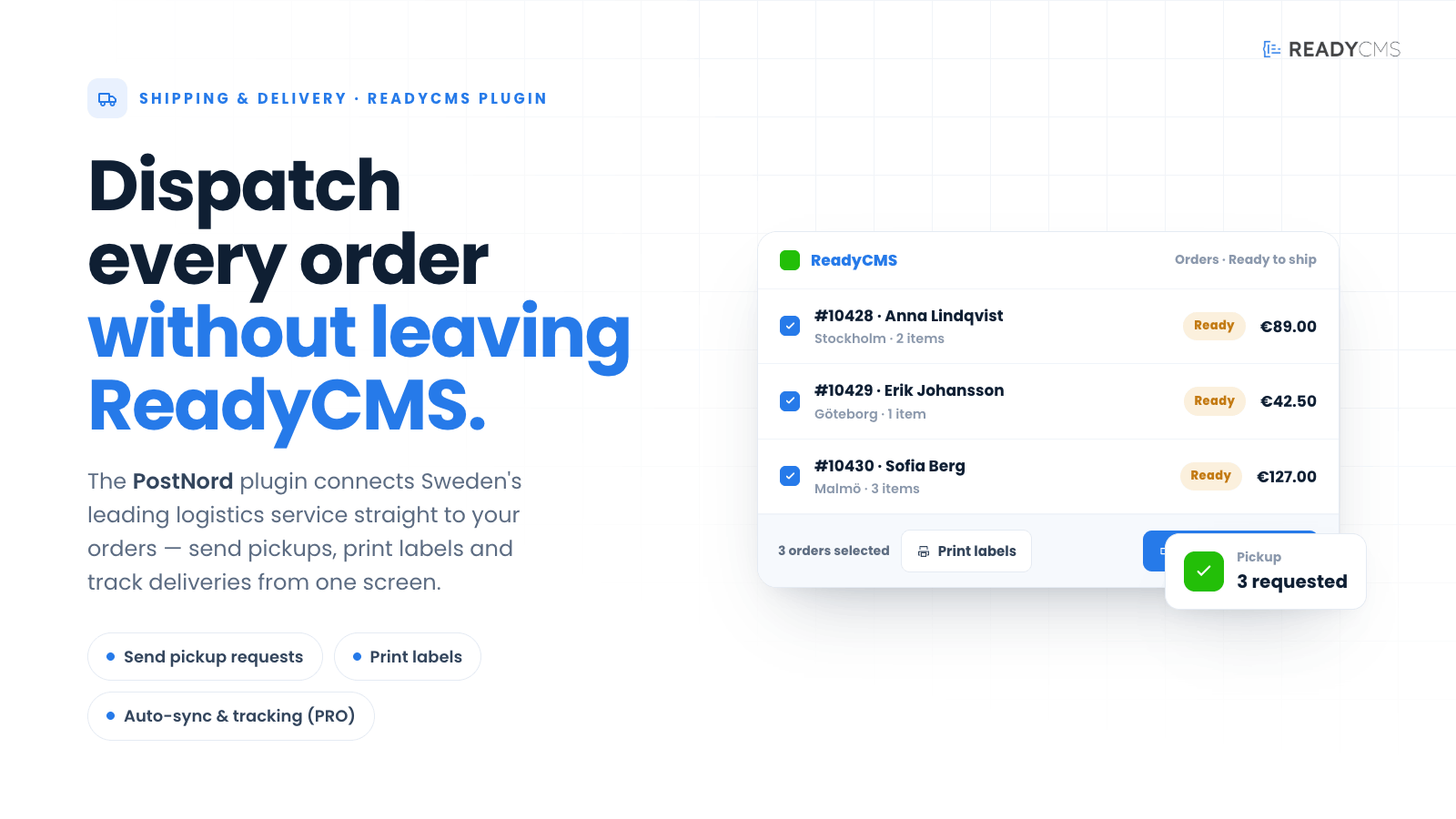

PostNord plugin for ReadyCMS: Track & send parcels
The PostNord plugin for ReadyCMS fully integrates with PostNord, Sweden's top logistics and postal service. This plugin simplifies the fulfillment process by automating dispatch and shipment tracking, making it indispensable for any e-commerce business operating in Sweden.
Key features and benefits
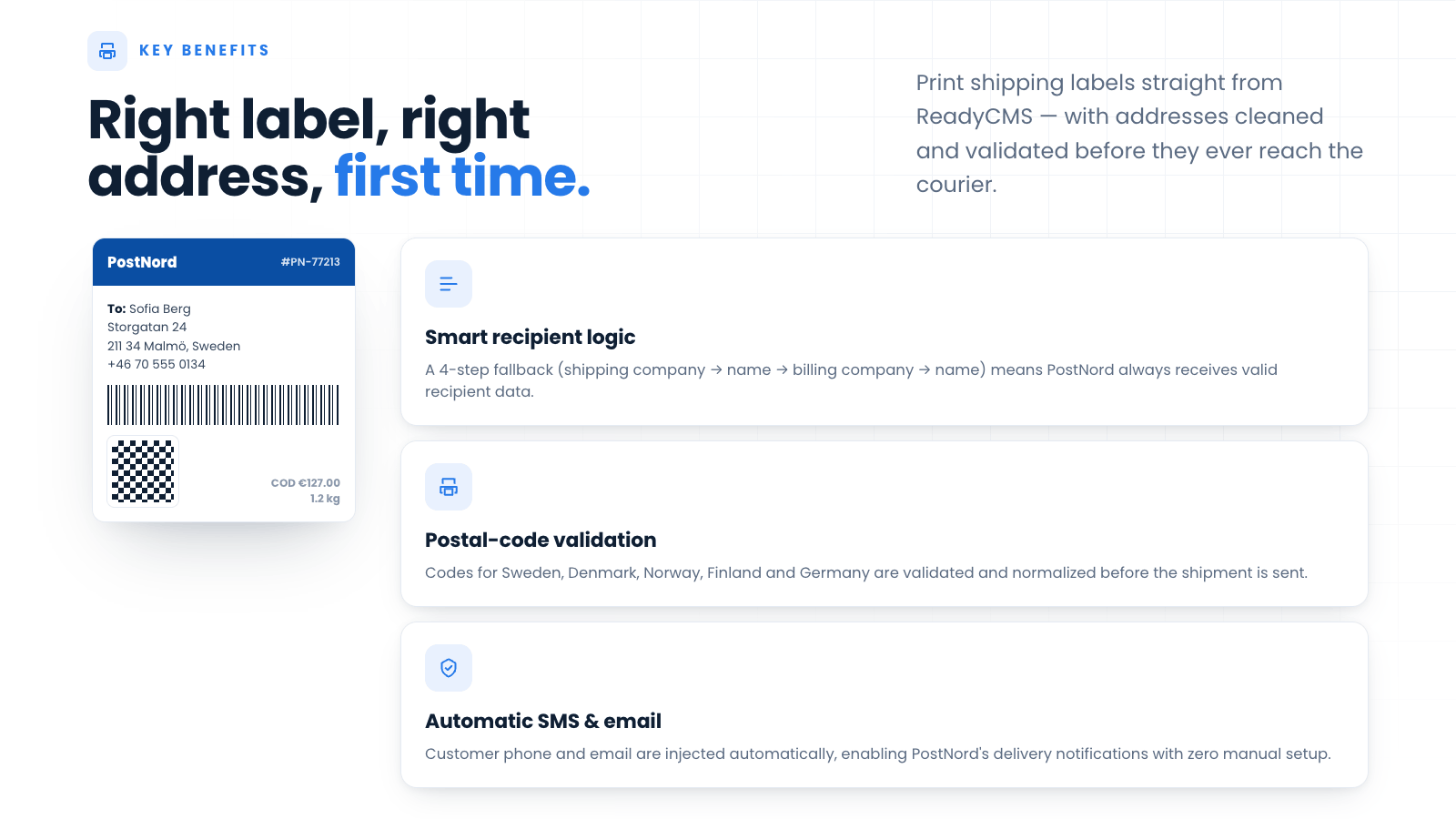
- Smart recipient name logic: ReadyCMS automatically determines the correct recipient using a 4-step fallback chain (Shipping company → Shipping full name → Billing company → Billing full name), ensuring PostNord always receives valid recipient data.
- Shipment request automation: Streamlines the process of sending out shipment requests, saving time and reducing manual effort.
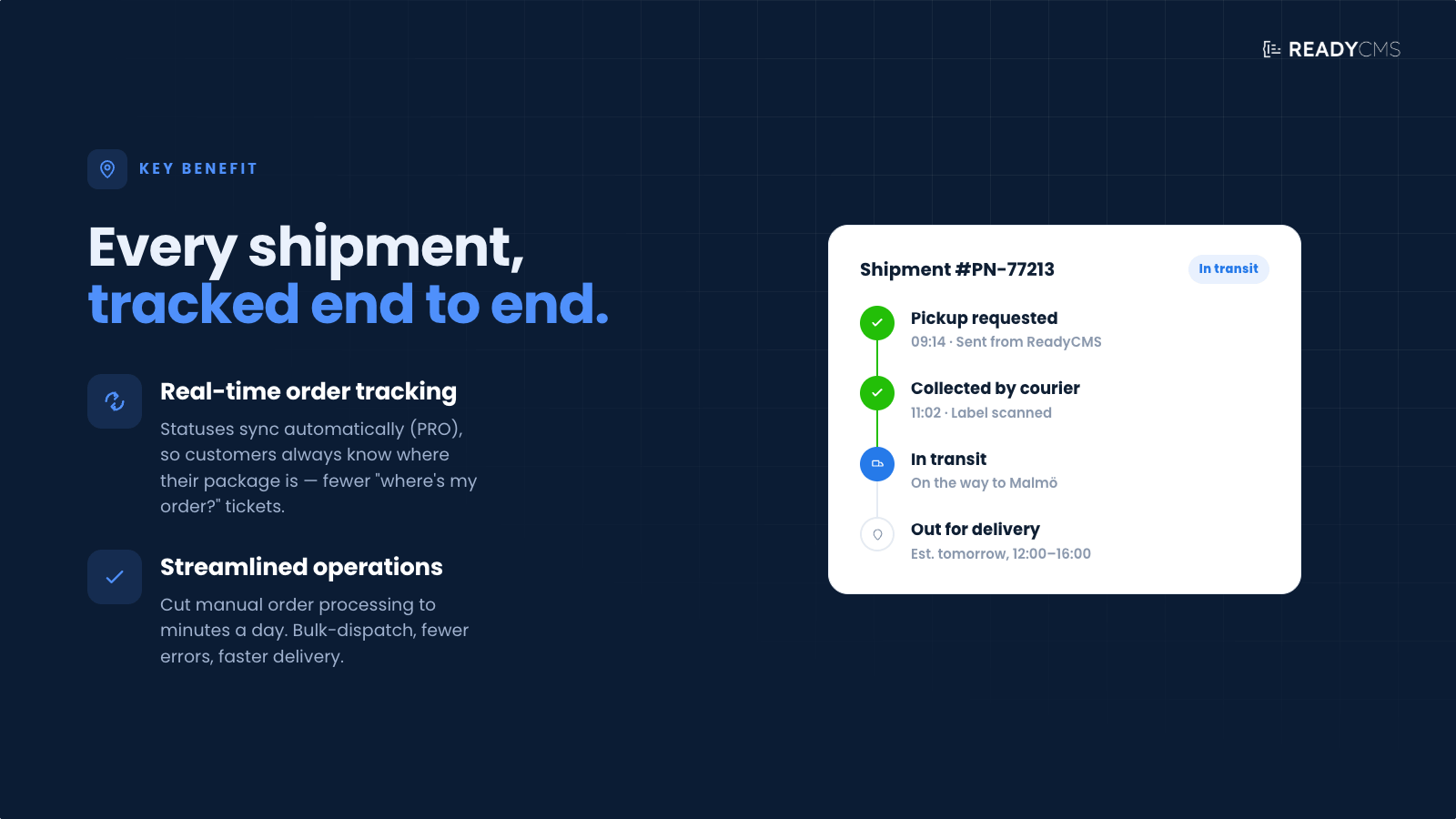
- Automatic tracking code generation: Enhances customer service by automatically generating tracking codes for shipments, allowing for easy tracking and updates.
- Shipping label generation: Simplifies the logistics process by automatically generating shipping labels, ensuring accuracy and speed in order dispatch.
- Automatic contact data injection: Phone numbers and email addresses are automatically included in shipment requests, enabling PostNord’s SMS/email delivery notifications.
- Country-specific postal code validation: ReadyCMS validates and normalizes postal codes for Sweden, Denmark, Norway, Finland, and Germany before sending the shipment to PostNord.
- Improved label handling: Fixed A4 layouts (1 label/page), support for 107×108 mm thermal labels, and sharper, more reliable QR codes.
- More detailed error messages & logs: Clearer error responses help identify missing or invalid shipping data, speeding troubleshooting.
This plugin is a game-changer for businesses, drastically reducing manual order processing time and improving overall efficiency and customer satisfaction.
Ensure timely deliveries and accurate order tracking, enhancing customer satisfaction and streamlining your shipping processes with PostNord courier integration.
How it works
The system offers direct API access, seamlessly integrating with PostNord APIs to provide a wide range of shipping and tracking services. It features flexible delivery options at checkout, including detailed sustainable delivery choices and precise, high-resolution delivery times.
Enhanced tracking capabilities are enabled via the Track Shipment API, allowing both merchants and customers to monitor shipment progress easily.
To configure the PostNord plugin in ReadyCMS, go to the Setup tab, enter the API key, and fill in the other options as you prefer (such as Error logging, Environment, etc.).
Guide
- Configuration:
- Find the plugin on the ReadyCMS plugin page.
- Enter your PostNord API credentials.
- Configure your shipping preferences and options.
- Activation:
- Click the
Save & activatebutton
- Click the
- Order processing:
- Automate the sending of package details to PostNord upon order placement.
- Print shipping labels directly from the ReadyCMS interface.
- Monitoring and updates:
- Track shipments in real time through the dashboard.
- Automatically update customers with the status of their deliveries.
Once connected to your PostNord account, the plugin communicates directly with PostNord’s APIs to automate every step of the shipping workflow. ReadyCMS validates your order data, builds the shipment request, and sends it to PostNord using your configured preferences.
Order status automation
In the PostNord plugin settings, administrators can now choose which order status to apply automatically when a shipment is created.
Instead of always defaulting to AwaitingCourier, ReadyCMS will update the order to your selected status as soon as PostNord confirms the shipment.
For full backward compatibility, if no status is configured, the system continues to behave exactly as before and uses AwaitingCourier.
Updates
In addition to the existing API integration, the updated PostNord plugin now includes several new smart behaviors designed to improve shipping accuracy, reduce errors, and streamline label generation:
Smarter recipient data handling
ReadyCMS automatically determines the correct recipient using a four-step fallback logic:
- Shipping company
- Shipping full name
- Billing company
- Billing full name
This ensures that every shipment has a valid, complete recipient name, even if some fields are missing.
Addressing & validation
Shipping address correctly merges street and house number (when provided separately) and falls back cleanly to billing details if shipping is missing.
City names are automatically normalized using PostNord’s postal code validation, reducing “city / postal code mismatch” errors.
Automatic injection of email & phone
Customer phone numbers and email addresses are now automatically passed to PostNord, enabling SMS/email delivery notifications without any manual setup.
Postal code validation & normalization
Postal codes for Sweden, Denmark, Norway, Finland, and Germany are validated and normalized before sending the shipment request.
This dramatically reduces API errors caused by formatting issues.
Improved label generation
Labels are generated with better compatibility across printers:
- Fixed A4 output (1 label per page)
- Support for 107×108 mm thermal labels
- Sharper, more reliable QR codes
Clearer error messages & enhanced logs
If something is missing or invalid, ReadyCMS shows a clear, actionable error message and logs additional details for quick troubleshooting.
Shipment cancellation
Cancelling a shipment uses more reliable ID lookups (booking IDs and SSCC), tries the correct PostNord environment (test/production), and records cancellation responses for audit/history.
Orders are automatically updated to a Cancelled status, and their tracking numbers are cleared when PostNord confirms the cancellation.
FAQ
Q1: How do I set up the PostNord plugin in ReadyCMS?
A1: To set up the PostNord plugin, navigate to the Plugins section in ReadyCMS, locate the PostNord plugin, and click on 'Activate'. Once activated, open the plugin settings and connect to your PostNord account by entering the API credentials provided by PostNord.
Q2: Can I use the PostNord plugin if my business is not based in Sweden?
A2: The PostNord plugin is tailored for integration with Sweden's leading logistics service and optimized for businesses operating in Sweden. If you are outside Sweden, it is best to consider other shipping plugins tailored to your location.
Q4: How does the real-time tracking feature work?
A4: The real-time tracking feature utilizes PostNord's Track Shipment API. Once a package is dispatched, the tracking ID is linked in ReadyCMS, allowing both the merchant and the customer to track the shipment's progress through the PostNord website or directly from the customer’s order page in ReadyCMS.
Q5: What should I do if there is an issue with the shipment?
A5: For any shipment issues, you can use the PostNord plugin to cancel the shipment request if it hasn't been picked up yet. For issues after pickup, it's best to contact PostNord customer service directly with the tracking ID and relevant details. Ensure to communicate any delays or problems to your customers to maintain transparency.
Q6: Is there support for sustainable delivery options within the PostNord plugin?
A6: Yes, the PostNord plugin supports sustainable delivery options, which can be configured during delivery preference setup. Customers can choose from various eco-friendly delivery methods at checkout, aligning with their values and preferences.
Q7: How can I ensure that the shipping labels are printed correctly?
A7: Ensure your printer settings are configured correctly and that you use the recommended label format provided by PostNord. The PostNord plugin enables direct printing from ReadyCMS, making it straightforward to produce accurate, clear shipping labels.
Q8: Can I manually update the status of orders in ReadyCMS?
A8: Yes, you can manually update order statuses in ReadyCMS. Although the PRO version automates this process, in the standard version you can manually update order statuses in real time, such as marking an order as shipped once it's confirmed by PostNord.
Q9: What are the costs associated with using the PostNord plugin?
A9: The standard features of the PostNord plugin are available at no additional cost. However, the PRO version, which includes enhanced features and functionalities, involves additional fees.
Q10: How does ReadyCMS choose the recipient name for shipping labels?
A10: ReadyCMS follows a fallback chain: Shipping company → Shipping full name → Billing company → Billing full name.
Build more with ReadyCMS
Explore the full plugin marketplace or book a demo to see them in action.