

Fraud risk signals for ReadyCMS
Detect potentially suspicious orders using configurable risk signals, simple scoring, and clear alerts inside the ReadyCMS order view.
Fraud risk signals plugin for ReadyCMS
Fraudulent orders and chargebacks can be costly, but most stores do not need a complex fraud-detection platform to identify common warning signs.
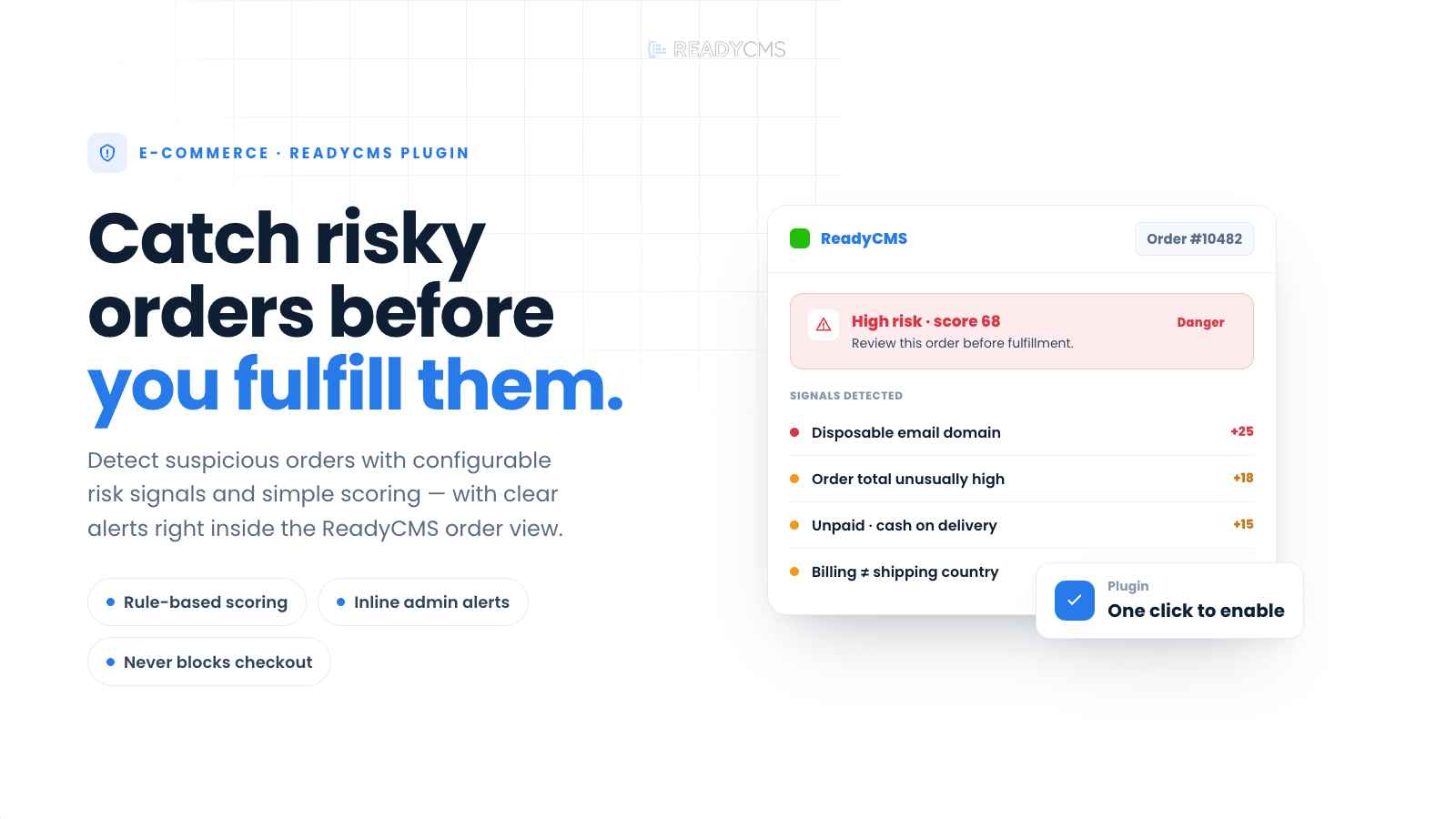
Fraud risk signals evaluates basic order and checkout information to help your team detect potentially suspicious orders before fulfillment. It calculates a simple risk score and adds a clear, human-readable alert directly to the order view in ReadyCMS.
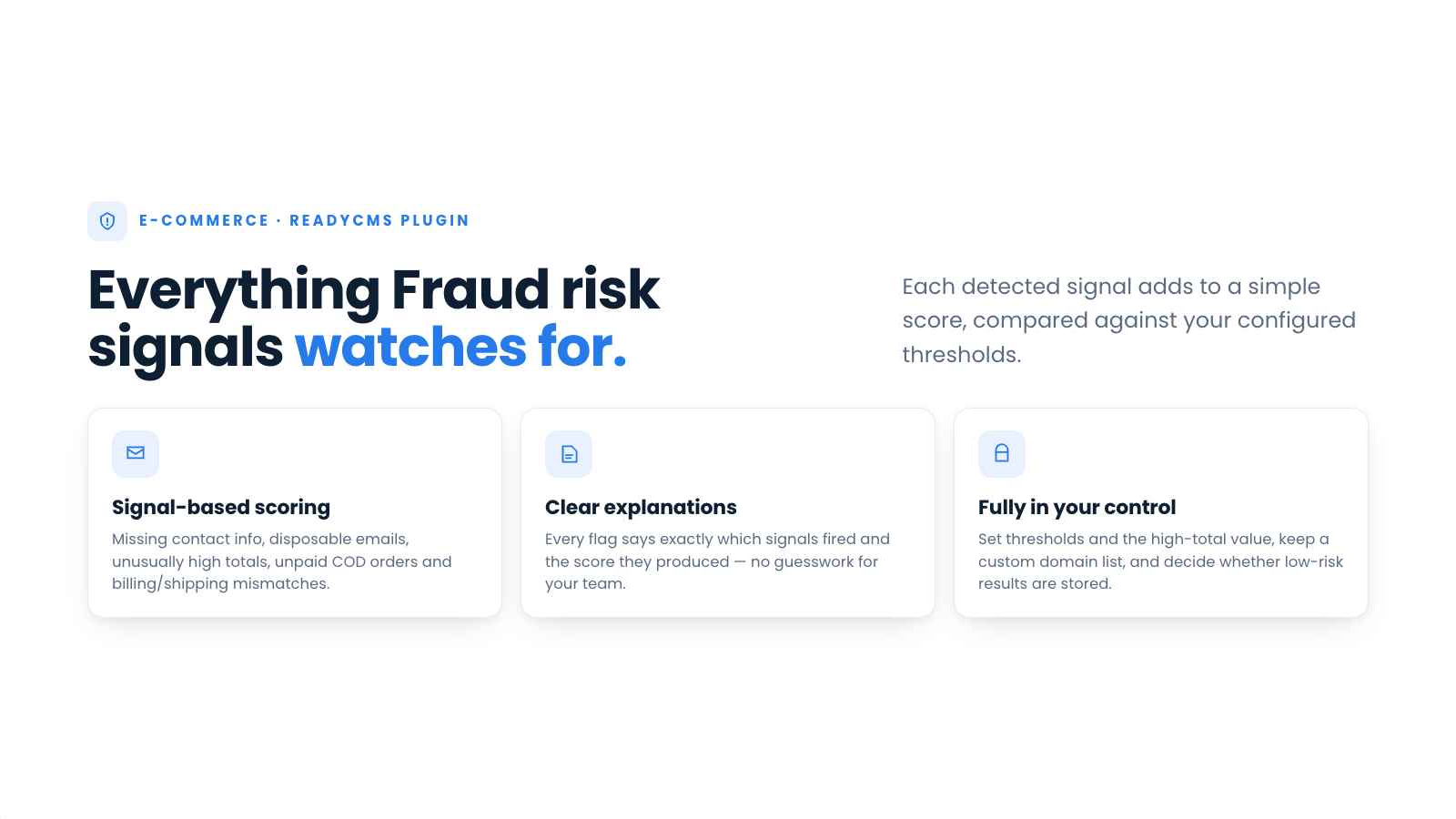
The plugin can identify signals such as missing contact information, disposable email domains, unusually high order totals, unpaid or cash-on-delivery orders, and differences between billing and shipping details.
Rather than automatically rejecting an order, Fraud risk signals provide your team with additional context for faster, more consistent manual reviews.
Key benefits
- Detect common order risk signals as soon as an order is created or updated.
- View the calculated risk level directly inside the ReadyCMS order view.
- Understand why an order was flagged through clear, human-readable explanations.
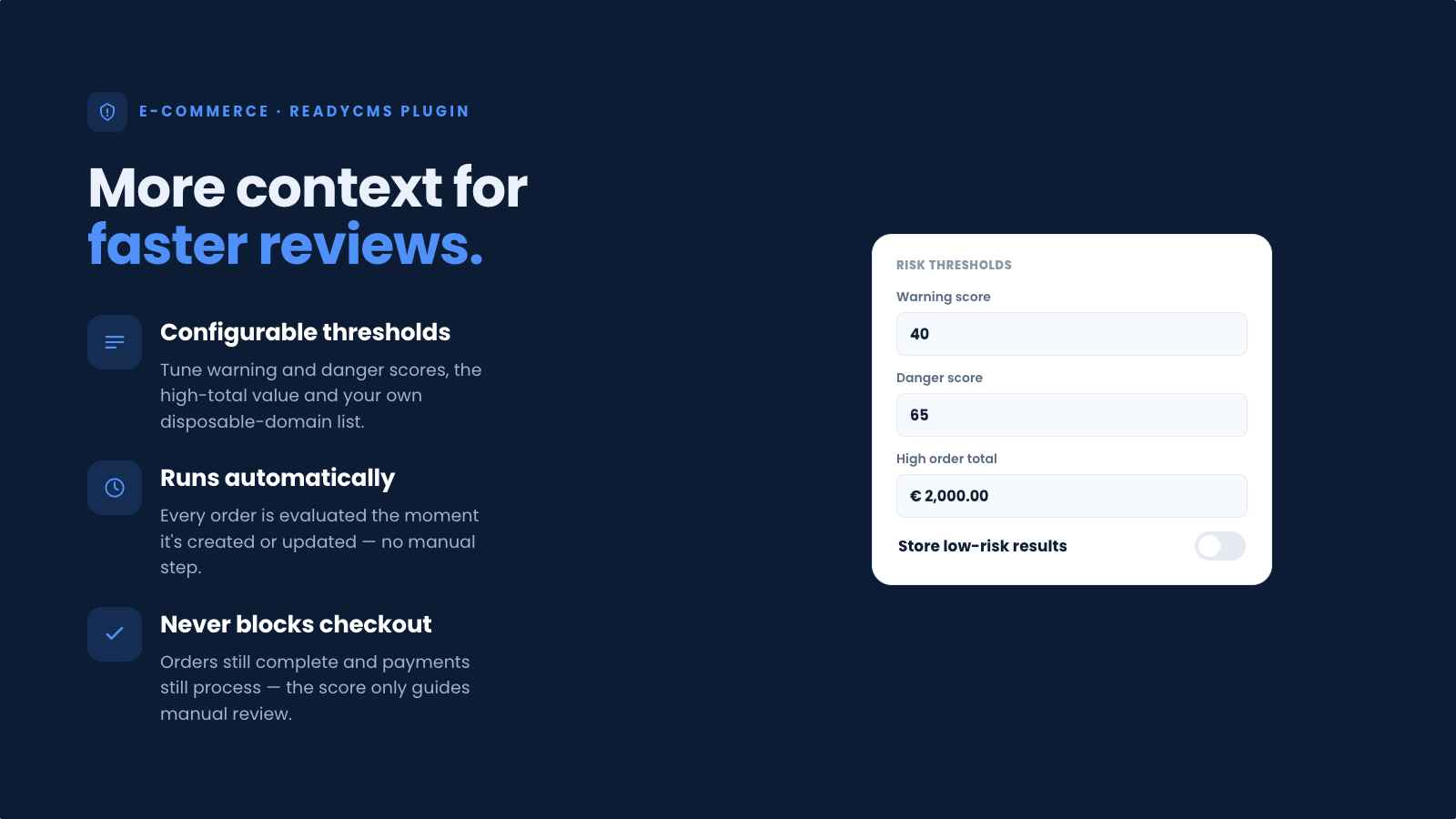
- Configure risk thresholds to match your store’s typical orders and tolerance for risk.
- Define the order value that should be treated as unusually high.
- Maintain a custom list of disposable or suspicious email domains.
- Support multiple payment methods, including card payments, bank transfers, cash on delivery, and unpaid orders.
- Add an extra layer of review without blocking checkout or automatically canceling orders.
How it works
Fraud risk signals plugin evaluates orders whenever they are created or updated. Each enabled signal contributes to a simple risk score, which is then compared against the configured warning and danger thresholds.
Depending on the result:
- Low or no risk: No alert is shown by default.
- Medium risk: A warning alert appears in the order view.
- High risk: A danger alert appears in the order view.
Each alert includes the calculated score and a short explanation of the signals that contributed to it.
The plugin does not block checkout, reject payments, or automatically cancel orders. The result is intended to support manual review by administrators before an order is approved, invoiced, or fulfilled.
Guide
-
Find the plugin
Go to the Plugin page in your ReadyCMS Admin and find Fraud risk signals.
-
Open the plugin settings
Go to the Fraud risk signals settings page to configure how orders should be evaluated.
-
Set the risk thresholds
Define the score at which an order should receive a warning and the score at which it should be marked as high risk.
-
Configure the high-order-total threshold
Enter the order value that you consider unusually high for your store. This should reflect your normal product prices and average order value.
-
Review disposable email domains
Add or update the email domains that should contribute to an order’s risk score.
-
Choose whether to store low-risk results
By default, the plugin stores and displays only warning- and danger-level evaluations. Enable info-level storage if you also want to retain low-risk evaluation results.
-
Activate Fraud risk signals
Click the Activate button once you have finished configuration.
-
Review flagged orders
Open an order in the ReadyCMS Admin and check the displayed alert. The alert shows the risk level and explains which signals affected the score.
-
Verify the order before fulfillment
Use the alert as a reason to review the customer details, payment status, addresses, or other available order information before continuing with fulfillment.
FAQ
1) Do Fraud risk signals automatically prevent fraud?
No. The plugin identifies basic risk signals and calculates a score to help your team review orders more quickly and consistently. It does not guarantee that an order is fraudulent or legitimate.
2) What signals are checked?
Signals can include missing email or phone information, disposable email domains, unusually high order totals, unpaid or cash-on-delivery orders, invalid IP address formatting, and differences between billing and shipping countries.
3) How is the risk level calculated?
Each detected signal contributes to a simple score. The final score is compared with your configured warning and danger thresholds to determine the displayed risk level for the order.
4) Can I adjust the sensitivity?
Yes. You can configure the warning and danger thresholds, change the value considered an unusually high order total, and manage the list of disposable email domains.
5) Will every order show an alert?
No. By default, only medium- and high-risk results are stored and displayed. You can enable info-level storage if you also want to retain low-risk evaluations.
6) Does the plugin block checkout or cancel suspicious orders?
No. Fraud Risk Signals is designed as a review tool. It does not block checkout, reject payments, or automatically cancel orders by default.
7) Does a high-risk alert mean that the order is fraudulent?
No. A high-risk result means that the order contains several configured warning signs or has reached the defined score threshold. Your team should review the available order information before making a decision.
8) Does the plugin store sensitive data?
The plugin stores the calculated score and a short, human-readable explanation of the detected signals for the relevant order. This information is intended for internal administrator review.
9) Is this a replacement for 3D Secure, AVS, or payment-provider fraud tools?
No. Fraud Risk Signals complements payment-provider security and fraud-prevention tools by adding store-level heuristics and making potential warning signs visible in the ReadyCMS order workflow.
10) Can it work with all payment methods?
Yes. Because the evaluation uses order fields and basic checkout context, it can support card payments, cash on delivery, bank transfers, and other payment methods.
11) Will cash-on-delivery or unpaid orders always be marked as fraudulent?
No. These payment conditions are treated only as possible risk signals. The final result depends on the complete score and the other information available for the order.
12) When is an order evaluated?
The plugin evaluates the relevant signals when an order is created or updated.
13) Will it slow down checkout?
The evaluation uses a small set of lightweight heuristics and is designed to avoid affecting storefront performance.
Build more with ReadyCMS
Explore the full plugin marketplace or book a demo to see them in action.