

Ready Protect for ReadyCMS
Ready Protect provides an extra layer of protection for your website. Also, by installing Ready Protect's script, our service actively monitors and identifies potentially harmful behavior, ensuring the safety and integrity of your online presence.
Ready Protect: Baseline security for every ReadyCMS site
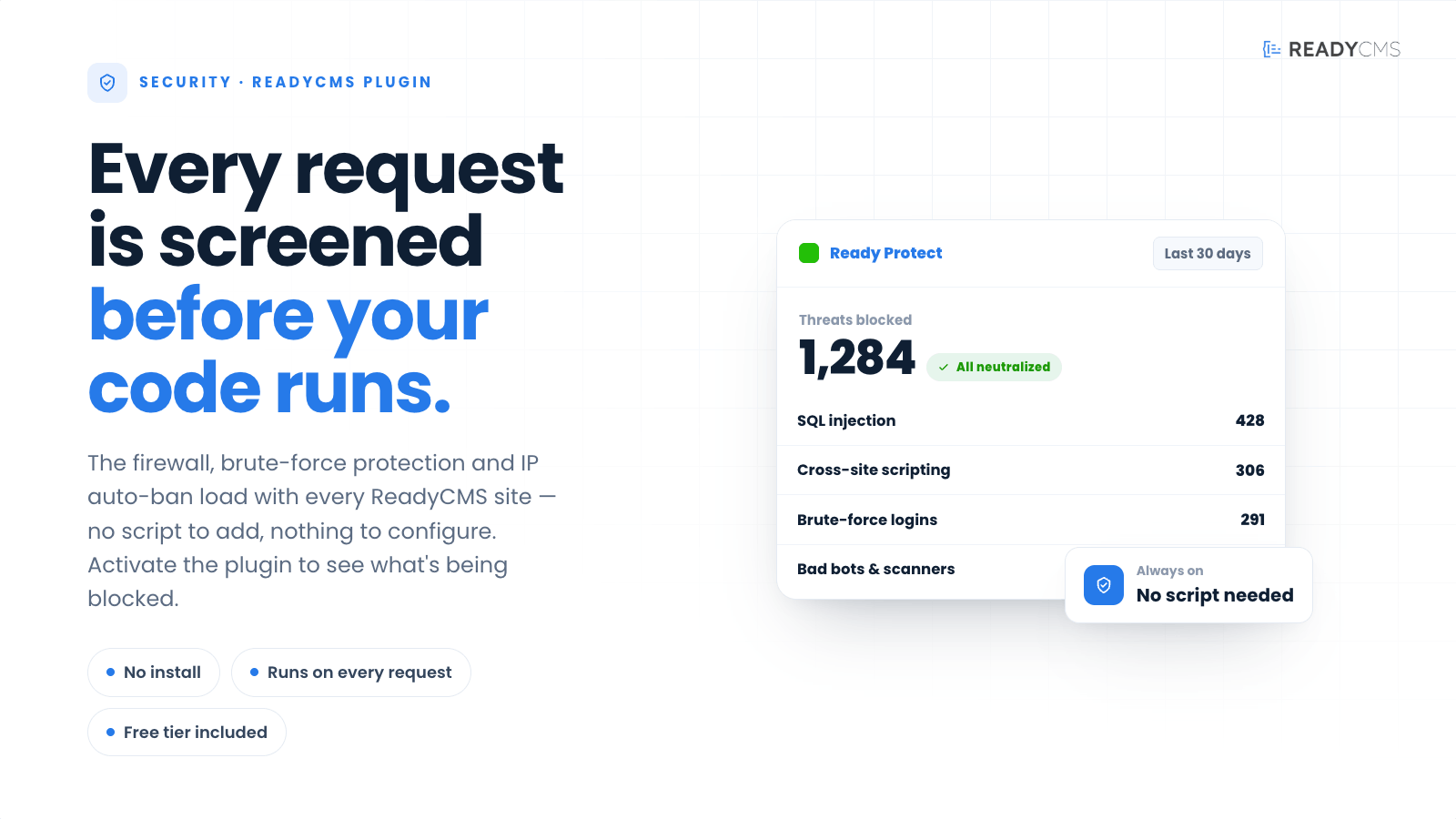
Ready Protect ships as part of the ReadyCMS security stack. The WAF, brute-force protection, IP auto-ban, and threat logging run on every request from the moment your site is live — no script to install, no configuration to save.
Activate the plugin to unlock the admin threat dashboard, email digests, longer retention, filtering, and CSV / JSON exports.
Note:
Ready Protect provides application-layer defense. It is not a network-scrubbing DDoS service and does not replace a dedicated CDN or upstream firewall.
What every tenant gets (Basic — Free)
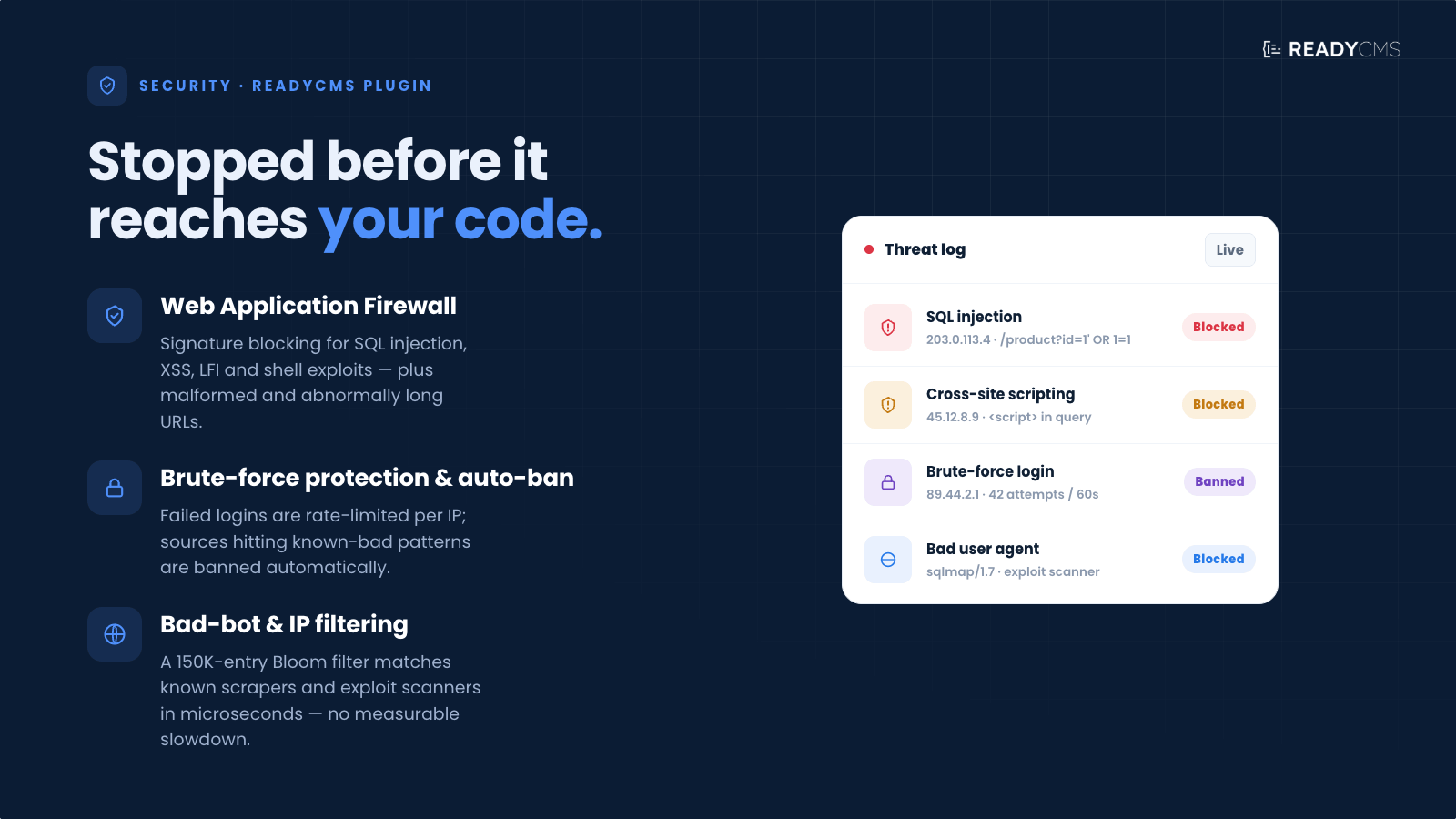
- Web Application Firewall: pattern-based blocking of SQL injection, XSS, LFI, shell exploits, malicious query strings, and long/malformed URLs.
- Auto-ban for repeat offenders: IPs that hit known-bad patterns are temp-banned; sustained abuse triggers longer bans.
- Brute-force protection: login endpoints track failed attempts per IP with rate limiting.
- Bad user-agent filtering: 150K-entry Bloom filter matches against known scraping and attack UAs.
- Threat logging: every blocked request is written to the tenant threat store.
- Summary dashboard + 30-day retention: see how many threats were blocked, grouped by category.
Standard (€75 / month) adds
- Full threat details: per-event view (IP, user agent, category, severity, timestamp) with filtering and search.
- 6-month retention.
- Weekly email digest every Monday, with a threat count and category breakdown.
Professional (€135 / month) adds
- 1-year retention.
- Daily email digest with per-category breakdown.
- CSV / JSON exports of the threat log for compliance workflows or SIEM ingestion.
How it works
Ready Protect operates on two layers.
1. The security stack (built-in, always on)
The WAF and threat-logging classes load during the ReadyCMS bootstrap sequence, so every request — API, admin, storefront — passes through them before reaching your application code.
- Path pattern matching against known attack signatures (SQL injection, XSS, LFI, shell exploits).
- User-agent filtering using a 150K-entry Bloom filter of known scraping and attack UAs.
- IP blocklist matching against a locally maintained + updated list.
- Rate limiting per IP and per endpoint.
- Automatic temporary bans for IPs hitting multiple bad patterns.
No script, no configuration, no cost. This layer runs regardless of whether the plugin is activated.
2. The visibility layer (activate to unlock)
Activating the Ready Protect plugin unlocks the admin threat dashboard, email digests, and — on paid tiers — longer history, per-event details, filtering, and exports. See the Pricing tab for the tier breakdown.
Getting started
- Free tier: activate the plugin from the plugin store. The summary dashboard appears at
/admin/en/ready-protect/immediately with data from the last 30 days. - Standard tier: activate + pick the Standard plan on the Pricing tab. Full dashboard access is unlocked at the next admin request; the first weekly email digest arrives the following Monday.
- Professional tier: same as Standard, plus a daily digest and CSV / JSON export buttons on the threat table.
Pricing
- Protection (WAF, auto-ban, logging)
- Limited dashboard access
- Threat details
- 1 month data retention
- Protection (WAF, auto-ban, logging)
- Full dashboard access
- Threat details
- 6 months data retention
- Weekly email digest
- Protection (WAF, auto-ban, logging)
- Full dashboard access
- Threat details
- 1 year data retention
- Daily email digest
- Data export
FAQ
Q1: What does Ready Protect actually do?
A1: Blocks known-bad requests before they reach your application code — SQL injection, XSS, LFI, shell exploits, brute-force login attempts, and traffic from known-bad IPs and user agents. Every blocked request is logged so you can see what was caught.
Q2: Do I need to install anything?
A2: No. The security stack (WAF, logging, brute-force protection, IP auto-ban) loads with every ReadyCMS site as part of the bootstrap sequence. There is no script to add to your pages and no configuration to save. Activating the plugin unlocks the admin dashboard, digest emails, and paid-tier features — not the protection itself.
Q3: What do the Basic, Standard, and Professional tiers include?
A3:
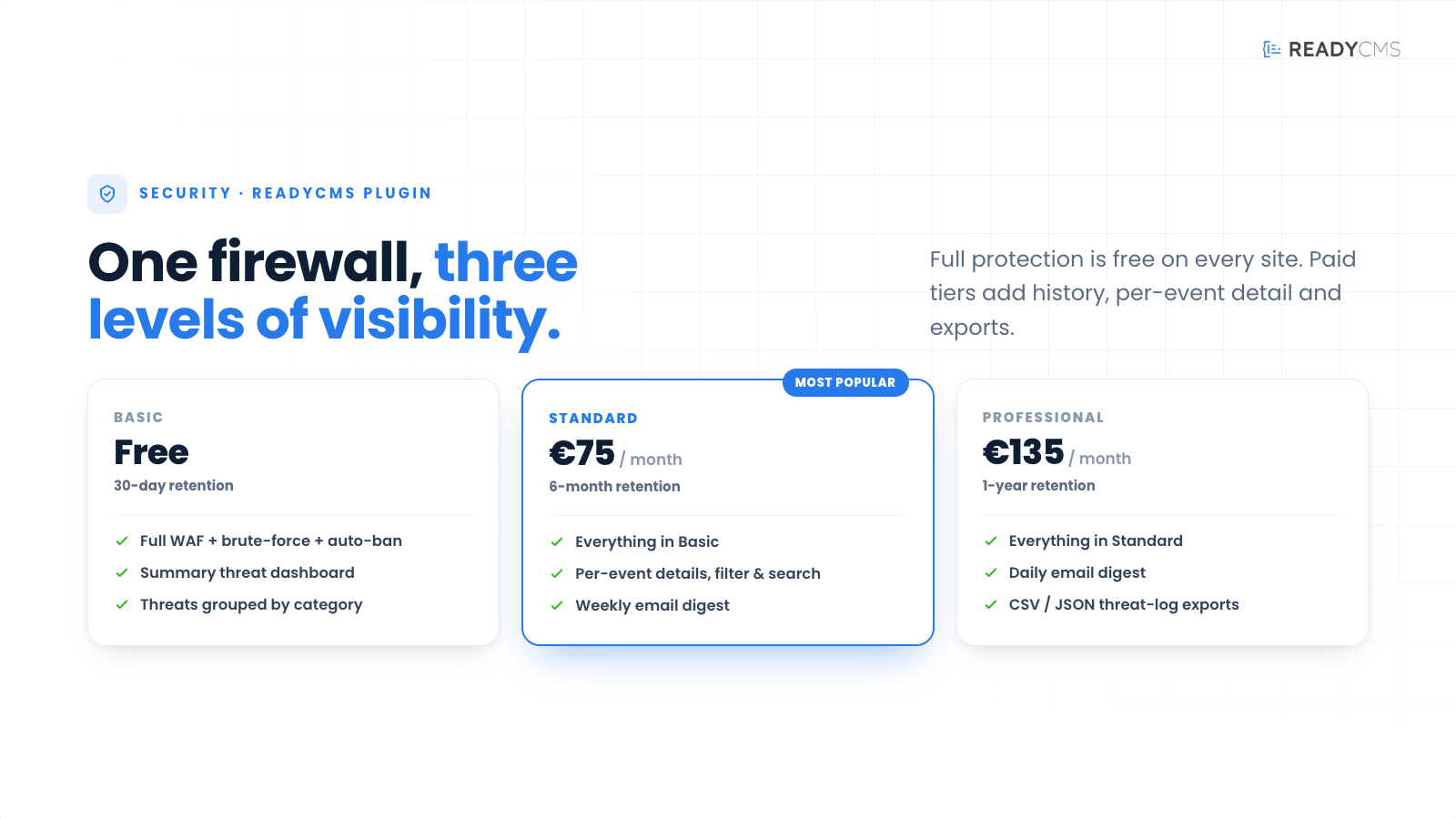
- Basic (Free): full protection (WAF + brute force + auto-ban), summary dashboard, 30-day retention.
- Standard (€75 / mo): everything in Basic, plus per-event details, filtering + search, 6-month retention, weekly email digest.
- Professional (€135 / mo): everything in Standard, plus 1-year retention, daily email digest, CSV / JSON exports.
Q4: What kinds of threats does the WAF block?
A4: Signature-based detection covers SQL injection patterns, cross-site scripting (XSS), local file inclusion (LFI), shell exploit patterns, malicious query strings, malformed / abnormally long URLs, and requests from bad user agents (scrapers, exploit scanners) and blocklisted IPs.
Q5: How long is threat history kept?
A5: Retention is tiered: 30 days on Basic, 6 months on Standard, 1 year on Professional. The retention limit is enforced server-side on the dashboard endpoint — data older than the tier limit is not returned regardless of what date range you request.
Q6: Can I export the threat log?
A6: Yes, on the Professional tier. The threat table on the dashboard has CSV/JSON export buttons that dump the visible and filtered rows. Useful for SIEM ingestion or compliance evidence packs.
Q7: Will Ready Protect slow down my site?
A7: No measurable impact. Path and user-agent checks use Bloom filters (for microsecond lookups) and hit the database only when a match is found. IP blocklist lookups are in-memory.
Q8: Can I add my own custom rules — allow/deny IPs, block paths, etc.?
A8: Not currently. Custom rules are on the roadmap for a future release. In the meantime, the built-in rule set is updated automatically as new attack patterns are identified.
Q9: What about DDoS protection?
A9: Ready Protect provides application-layer defense — rate limiting per IP, auto-ban of abusive sources, blocklist matching. This blunts small-to-medium application-layer floods but is not a network-scrubbing DDoS service. For volumetric DDoS attacks (L3/L4 floods, amplification attacks), pair Ready Protect with a network-layer service such as Cloudflare or an upstream CDN.
Q10: Does Ready Protect help with compliance?
A10: Ready Protect is not a certified compliance product. But the Professional tier's 1-year retention and CSV/JSON exports give you the audit trail material (blocked requests, categories, timestamps, source IPs) that most audit checklists require. Whether that satisfies your specific standard (SOC 2, PCI-DSS, ISO 27001) is a decision for your compliance officer.
Q11: Are there any trials?
A11: No trials needed — Basic is free forever and includes full protection. Upgrade to Standard or Professional whenever you want more visibility, longer history, or the digest emails.
Q12: Where can I get support?
A12: Support is available through the ReadyCMS knowledge base, email, or live chat.
Build more with ReadyCMS
Explore the full plugin marketplace or book a demo to see them in action.