

Data accuracy for ReadyCMS
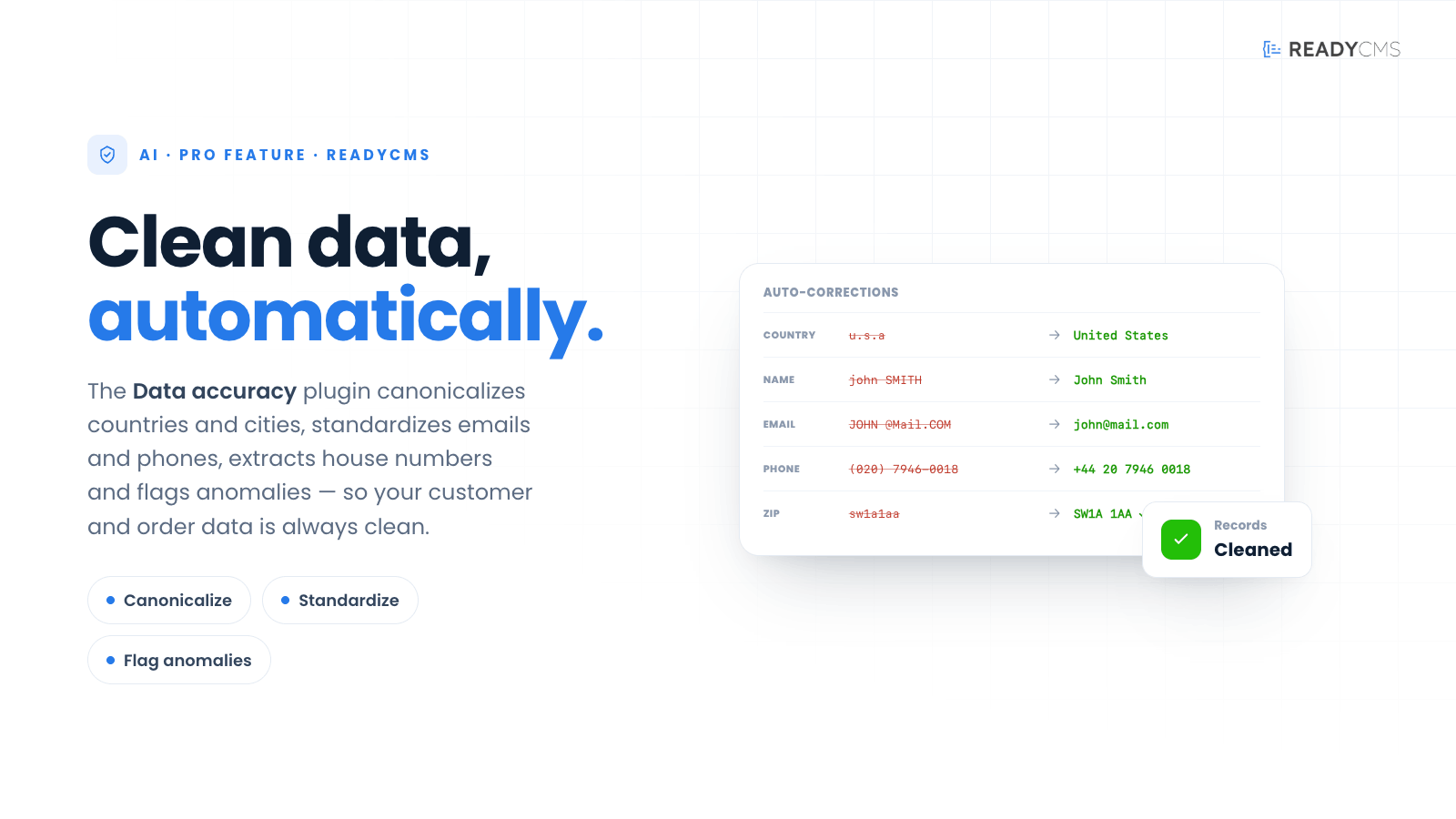
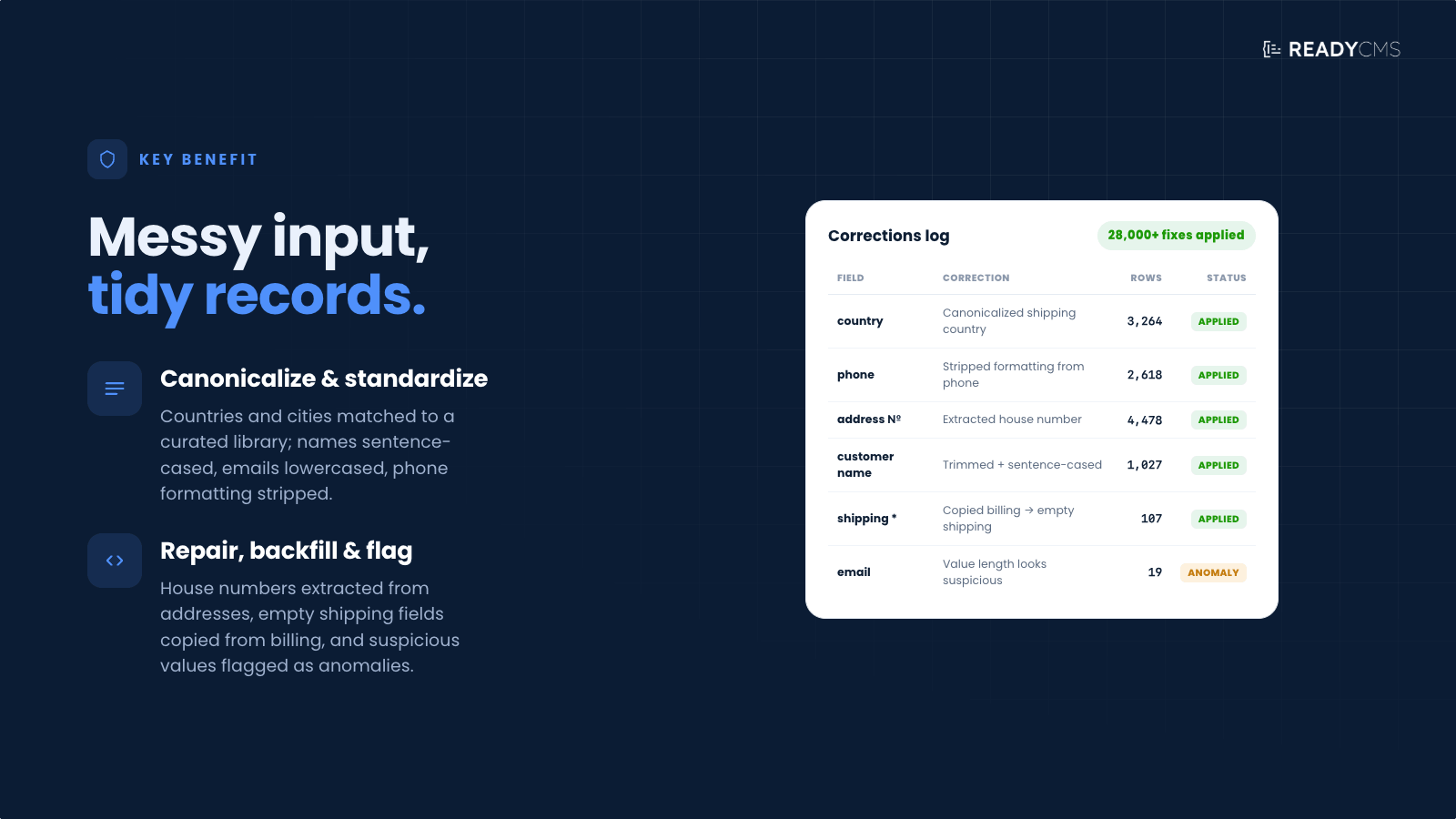
Clean up customer and order data automatically. Normalizes country and city names against a curated alias library, standardizes emails and phones, validates ZIP codes per country, repairs encoding mojibake, transliterates Cyrillic to Latin, and copies billing details into empty shipping fields. Runs in dry-run mode by default so you review every change before it lands.
Data accuracy AI: Enhance your dataset accuracy
Data accuracy AI is a powerful feature that automatically fixes broken or bad data. This enhancement not only improves the accuracy of your datasets but also deepens your marketing insights and enhances overall data quality.
Built on the foundational ReadyCMS AI, Data Accuracy AI extends core AI functionality.
Key benefits and features
- Automatic data correction: Proactively identifies and rectifies inaccuracies within your data, such as grammatical errors and typos.
- Fixes typographical errors: Corrects inconsistencies in data entries, such as different variations of country names (e.g., Sweden, sweden, Sverige, sverige, etc.).
- Standardizes case: Ensures consistent use of uppercase and lowercase letters and fixes capitalization issues.
- Fills missing details: Automatically supplements missing data, ensuring complete and accurate datasets.
- Data suggestions: Provides guidance on correcting data when potential errors are identified, enhancing overall data quality.
- Enhanced marketing insights: Improves the quality and depth of marketing insights by providing accurate and complete data.
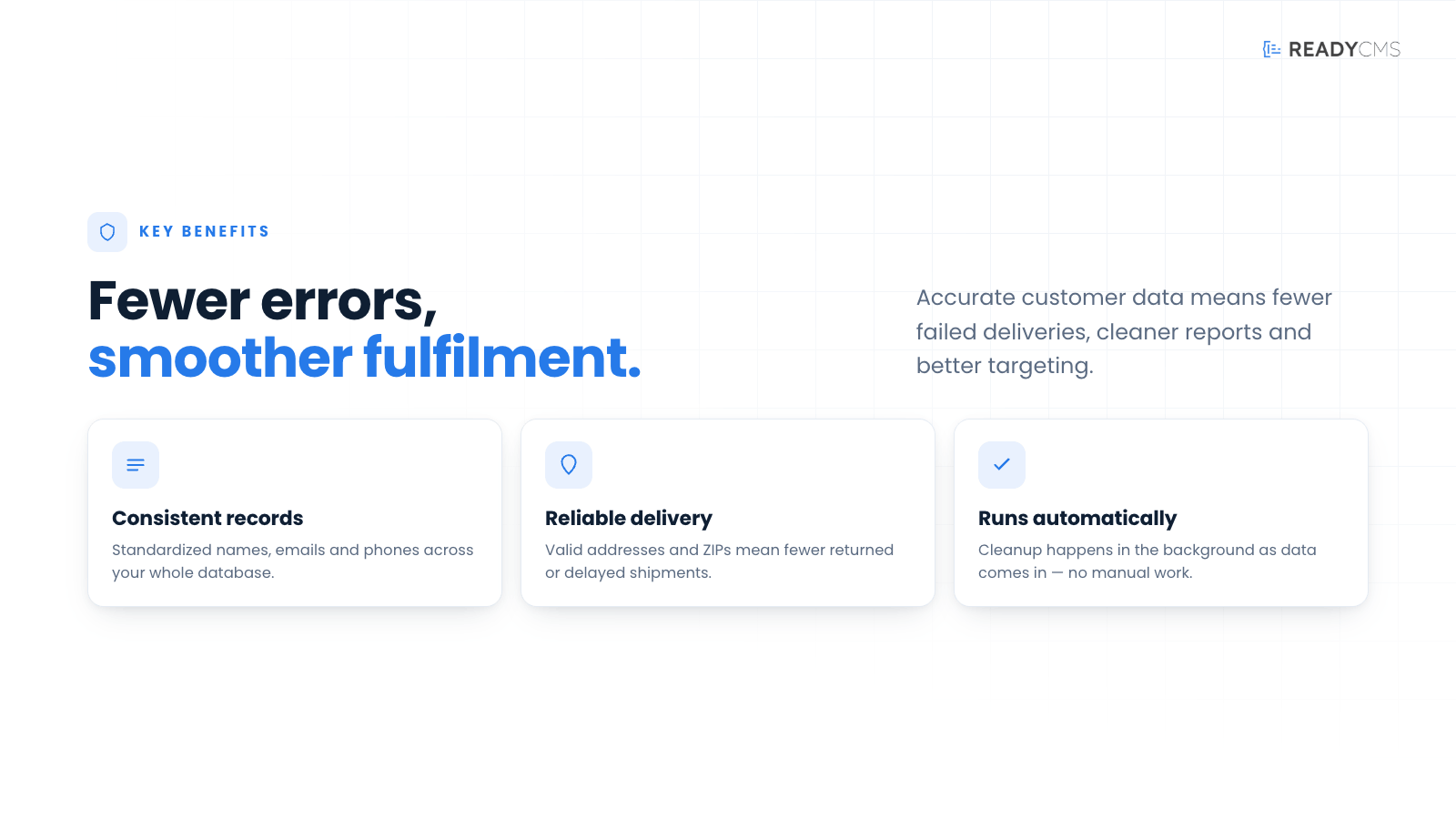
- Improved data quality: Ensures consistent, high-quality data across your platform, enhancing overall business operations.
How it works
Data accuracy AI is an essential feature of ReadyCMS, designed to improve data integrity and utility across the platform. Implementing data Accuracy AI within ReadyCMS offers significant benefits for businesses seeking to optimize their data-driven strategies.
By automating error correction and filling in missing information in customer details, this feature significantly enhances the accuracy of your datasets. This leads to more reliable marketing insights and improved overall data quality, both of which are crucial for effective business decision-making.
Integration with ReadyCMS AI
The ReadyCMS AI plugin is the cornerstone for all AI functionalities within ReadyCMS. It is a foundation feature for anything AI-related in ReadyCMS and must be activated first to ensure that Data accuracy AI integrates seamlessly and performs effectively.
By leveraging Data accuracy AI, you can ensure that your data remains accurate, complete, and high-quality, enhancing your marketing insights and overall business efficiency.
Guide
-
Activate the required plugin: Make sure the ReadyCMS AI plugin is active, then go to Data Accuracy AI on the Plugins page in your ReadyCMS instance.
-
Configure the data scan: Open the plugin’s Settings tab and choose how Data Accuracy AI should review and normalize your store data.
General settings
- Main language: Select the language that should be used for canonical country and city names. For example, different versions such as Sweden, Sverige, and SWE can be mapped to one preferred value.
- Data scan frequency: Choose how often the plugin should scan and normalize customer and order data in batch mode.
Normalization options
Enable or disable each correction based on your data requirements:
- Normalize country names: Maps different country-name variations and aliases to one canonical name based on the selected main language.
- Normalize city names: Removes unnecessary spaces, applies consistent capitalization, and maps known city aliases to the preferred name.
- Normalize emails: Trims spaces, converts email addresses to lowercase, and performs basic syntax validation. Invalid email addresses are logged as data issues for review.
- Normalize phone numbers: Removes spaces, dashes, parentheses, and other unnecessary formatting from phone numbers.
- Trim SKUs and product codes: Removes leading and trailing whitespace without otherwise changing the original SKU or product code.
- Fix encoding and accent issues: Corrects common character-encoding problems in names, cities, and addresses.
- Check ZIP or postal code format: Detects suspicious postal code formats based on the selected country. Postal codes are logged for review but are not changed automatically.
- Transliterate Cyrillic to Latin: Converts Cyrillic characters in billing and shipping names, cities, and addresses to Latin characters before capitalization and normalization are applied.
-
Choose between preview and live corrections:
- Set Safe preview (dry-run) mode to Yes to review suggested changes before any database records are updated.
- In dry-run mode, the plugin scans the data and records proposed corrections in the Data Issues tab.
- Set it to No when you want the enabled normalization rules to be applied automatically during scheduled scans.
-
Save the settings: Review your configuration and click Save.
-
Activation: After saving the configuration, go to the Pricing tab and enable the plugin (Basic, Standard, Professional tier).
-
Review detected issues: Open the Data Issues tab to see invalid values, suspicious data, and corrections suggested during a dry run. Review the affected records and compare the existing values with the proposed replacements.
-
Approve and apply changes: Once you are satisfied with the proposed corrections, apply them from the Data Issues tab. Depending on your workflow, you can process the suggested changes in bulk or in smaller stages.
-
Run regular data checks: Keep the plugin active to review newly added customer and order data over time. Periodic dry runs can be used as a database health check before applying new corrections.
Data accuracy AI ensures that no essential customer details are missing. It automatically detects and fills in gaps in datasets, which is vital for ensuring comprehensive customer profiles and enhancing the accuracy of targeted marketing efforts.
Accurate and complete datasets allow for deeper and more meaningful marketing analysis. This feature improves the depth of insights you can extract from your data, aiding in developing more effective marketing strategies and campaigns.
By ensuring data is both accurate and complete, Data accuracy AI enhances the overall quality of the data available on your platform. High-quality data is a cornerstone of smooth and efficient business operations, supporting better decision-making and operational reliability.
Maintenance
The Maintenance section stores the IDs of the last processed order and user. These values help the plugin continue scanning from the correct point without repeatedly processing the same records.
- Last processed order ID: Identifies the latest order included in a completed scan.
- Last processed user ID: Identifies the latest user included in a completed scan.
These values should normally remain unchanged. Edit them only when troubleshooting or deliberately restarting a scan. Setting a value to 0 forces a full rescan of the relevant records.
What’s the “dry run” feature?
Before any changes are made to your live data, Data accuracy AI can run in dry-run mode. It scans your customer records, identifies problems, and shows you exactly what it would correct — without updating anything yet. You stay in full control and apply the changes only when you’re confident in the results.
Think of dry run mode as a safe preview:
The plugin analyses your data, shows you what it would change, but doesn’t actually touch anything yet.
So instead of “trust us, we fixed some stuff”, you get:
- A summary of detected issues (e.g., messy country names, inconsistent cities, missing info)
- A preview of proposed corrections (before/after style)
- The option to approve changes (all at once or in stages, depending on how you want to work)
No data is updated until you explicitly say “yes, go ahead”.
How to run 'dry run' mode?
A simple business flow could be described like this:
- Turn on Data accuracy AI in dry run mode
- It scans your existing data.
- It detects inconsistencies, typos, and missing key values.
- It prepares a list or report of suggested fixes.
- Review the suggestions
- You see how many records would be changed.
- You can spot-check examples (e.g., “Sverige” + “Sweden” → “Sweden (your preferred form)”).
- This gives you confidence that it’s behaving as you expect.
- Approve and apply
- Once you’re comfortable, you switch from preview to live updates (or confirm the batch).
- The plugin then cleans your data according to the same rules it showed you in the dry run.
- Ongoing safety
- You can periodically run a dry run to audit the quality of new data as it comes in.
- It becomes a regular health check for your database, not just a one-time cleanup.
Pricing
- 100 fixes per month
- Automatic data correction
- Fixes typographical errors
- Standardizes case
- Fills missing details
- Data suggestions
- Enhanced marketing insights
- Improved Data Quality
- 1.000 fixes per month
- Automatic data correction
- Fixes typographical errors
- Standardizes case
- Fills missing details
- Data suggestions
- Enhanced marketing insights
- Improved Data Quality
- Unlimited fixes per month
- Automatic data correction
- Fixes typographical errors
- Standardizes case
- Fills missing details
- Data suggestions
- Enhanced marketing insights
- Improved Data Quality
FAQ
Q1: What is Data accuracy AI?
A1: Data accuracy AI automates the correction of erroneous data and fills in missing customer details across the platform, ensuring accurate, complete datasets.
Q2: How does Data accuracy AI improve my data?
A2: The plugin identifies and fixes broken or bad data and automatically fills in missing details, ensuring that your data is accurate and complete.
Q3: What are the benefits of using Data accuracy AI?
A3: Using Data accuracy AI enhances the accuracy of your datasets, deepens your marketing insights, and ensures high data quality across your platform.
Q4: Do I need to install the ReadyCMS AI plugin first?
A4: Yes. ReadyCMS AI serves as the foundational plugin for all AI-related functionalities within ReadyCMS. Activating it is a prerequisite for utilizing Data accuracy AI to ensure seamless integration and performance.
Q5: Can Data accuracy AI enhance my marketing efforts?
A5: Yes, by providing accurate and complete data, Data accuracy AI amplifies the depth of your marketing insights, leading to more effective marketing strategies.
Q6: Can I test it before it changes my data?
A6: Yes. The plugin can run in a dry run mode, where it only analyses your data and shows you proposed corrections. Nothing is actually changed until you decide to apply the updates. This lets you verify the behavior and build trust before touching live data.
Q7: Is it safe to use on our existing customer database?
A7: Yes. With dry run mode, you can first run a full scan on your existing data and review the suggested changes. Once you’re satisfied, you can apply them in bulk. This means you get the benefits of automatic cleanup, while still keeping human oversight and control.
Build more with ReadyCMS
Explore the full plugin marketplace or book a demo to see them in action.