Updates
New ReadyCMS pricing: Plans that scale with your commerce
ReadyCMS introduces simpler pricing for Core, Commerce, Growth, and Enterprise. Full e-commerce capabilities without arbitrary product or...

A customer opens the product page for a coffee machine.
The store recommends three other coffee machines from the same category. They are technically related, but they may not be the most useful products to show right now.
A pack of filters, a compatible descaling product, or a set of coffee cups could better support the purchase.
Another customer has already viewed several machines from the same brand. Showing that customer the exact same recommendations ignores what the store already knows about what they are exploring.
That is the problem we focused on when building Product recommendations for ReadyCMS.
A recommendation should reflect more than the product currently on the screen. Customer behavior, page context, catalog relationships, manually defined product links, and the amount of data available can all change which products make sense to show.
ReadyCMS combines those signals and makes the resulting recommendations available to headless and custom storefronts through the API.
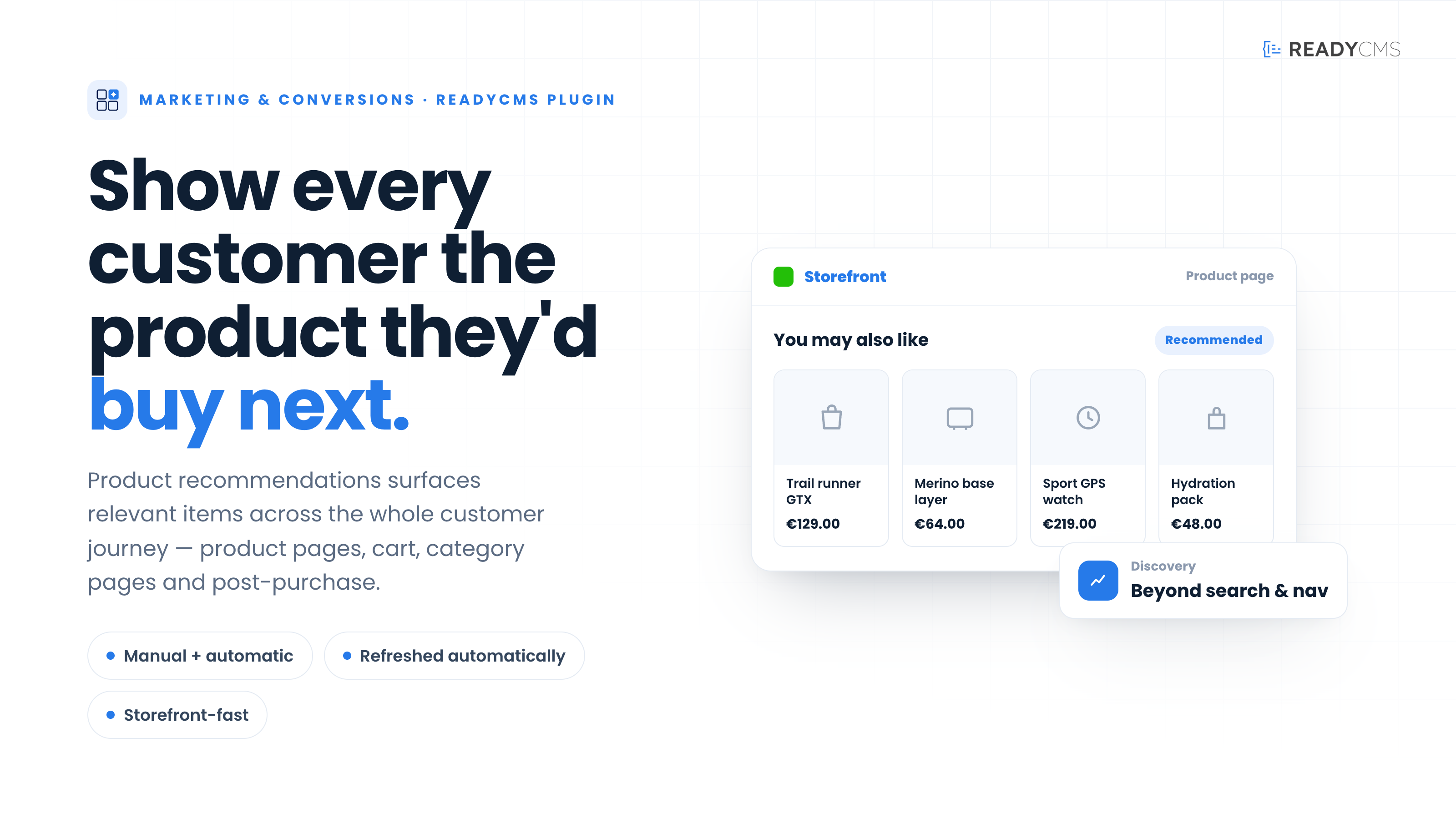 Product recommendations combines behavioral data, catalog context, manual relationships, and API delivery.
The simplest recommendation logic looks at the product catalog.
If two products share a category, brand, or similar attributes, the store displays them together.
That can be useful, especially when behavioral data is limited. But catalog information alone does not tell you how customers actually interact with those products.
Consider a few different signals:
No single event fully explains a customer's intent. The value comes from combining several signals instead of treating one attribute or action as the complete answer.
Product recommendations can analyze several types of store and shopper activity:
These signals serve different purposes.
Views can help identify products customers frequently explore around the same time. Cart activity can reveal products customers often consider together. Completed orders provide evidence of combinations that actually resulted in a purchase.
ReadyCMS processes recommendation data through scheduled daily and weekly analysis. As products, traffic, carts, and orders change, those processes refresh the relationships and scores used by the recommendation engine.
This avoids relying on a recommendation list that someone configured once and then forgot to update.
Some useful product relationships are obvious in the catalog. Others appear only when you look across it.
A camera and a memory card may belong to different categories but still have a strong commercial relationship. The same can apply to a printer and replacement ink, a laptop and sleeve, or a coffee machine and cleaning product.
ReadyCMS can work with product relationships across the catalog while also considering narrower category and brand context.
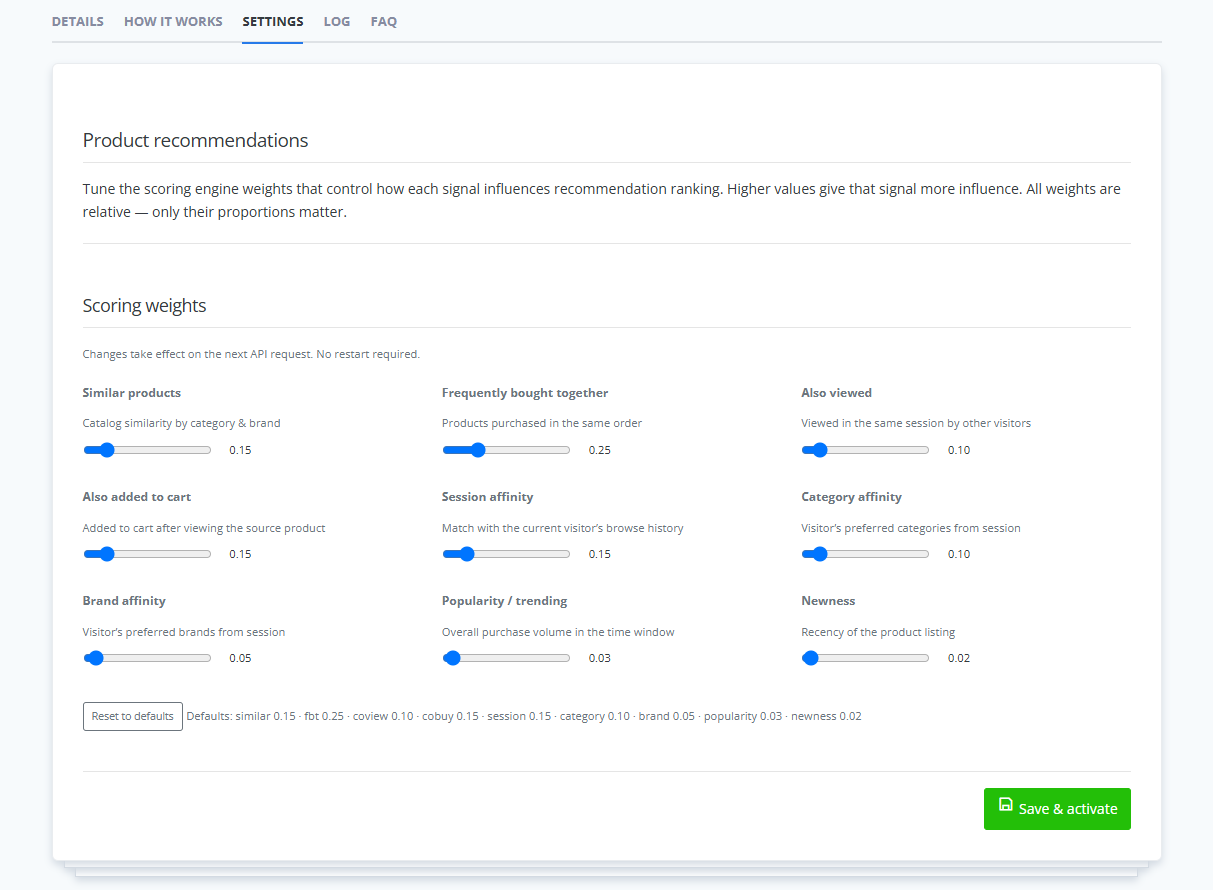 Recommendation logic can combine catalog relationships with behavioral and contextual signals.
A product does not have one universally correct recommendation list.
Useful recommendations depend partly on where they appear.
On a product page, a customer may need a comparable product, an alternative, an accessory, or a higher-value option.
On a category page, the current category provides a useful boundary while customer behavior and product activity can help determine which items to prioritize.
On a brand page, the current brand becomes part of the context.
Inside the cart, the goal often changes again. Showing another alternative to a product the customer already selected may be less useful than showing something compatible.
A personalized feed can also use recent session activity to reflect the products, categories, and brands the shopper has already explored.
This is why recommendation context matters as much as product similarity.
Behavioral recommendations have an unavoidable limitation: sometimes there is not enough behavior yet.
A newly launched store may have few orders. A new product may have no meaningful interaction history. Some catalog items naturally receive much less traffic than others.
ReadyCMS uses fallback recommendations when stronger behavioral or relationship data is not available.
Depending on the situation, those fallbacks can include options such as trending products and new arrivals.
Limited data should change the recommendation method, not leave the recommendation area empty.
This also gives newly added products a route into recommendation experiences before they have accumulated the same history as established products.
As more activity becomes available, behavioral relationships can contribute more information to the results.
ReadyCMS supports several recommendation scenarios, but they should not all be treated as different names for the same list.
| Recommendation type | Useful when |
|---|---|
| Trending products | You want to surface products receiving attention across the store or need a useful fallback. |
| Related products | You want to continue product discovery around the item being viewed. |
| Similar products | The customer may want to compare another product with a similar purpose or position. |
| Cross-sells | You want to complement a product or the current cart with another relevant item. |
| Upsells | A higher-value or more capable product may be a better fit. |
| Alternatives | The current product is unavailable, unsuitable, incompatible, or outside the customer's requirements. |
| Accessories | The main product needs or benefits from compatible supporting products. |
| Personalized recommendations | Recent session activity provides enough context to adapt the selection to the shopper. |
| New arrivals | Recently added products need visibility before they have accumulated much behavioral history. |
The distinction is practical.
A laptop sleeve can be related to a laptop without being similar to it. Another laptop may be a useful alternative without being an appropriate cart cross-sell.
Naming the relationship correctly helps the storefront use it in the right place.
Behavioral data can reveal relationships across a catalog that would be difficult to maintain manually.
But store data does not contain every piece of commercial knowledge.
An algorithm may not know that two visually similar accessories use incompatible connectors. It may not know that an older model is being phased out, that a particular replacement should always be recommended, or that one accessory is required for installation.
Catalog managers often do know.
That is why ReadyCMS combines algorithmic recommendations with manually defined product relationships.
Each product has a Related products area where administrators can configure:
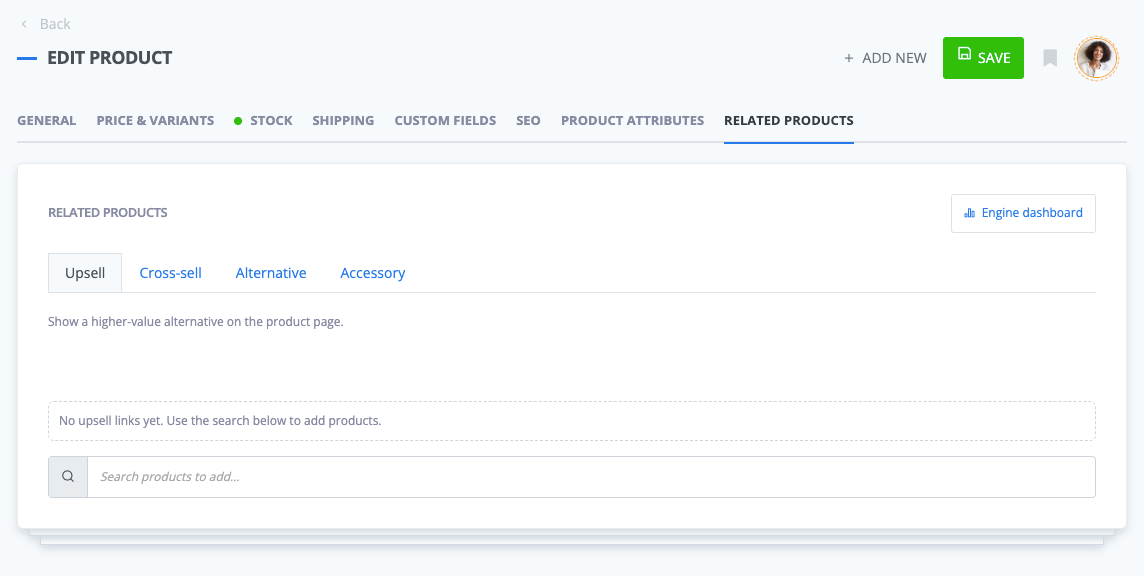 Store teams can define important product relationships directly from the product edit page.
Products selected manually are displayed before algorithmic results.
This gives the store team a predictable way to protect relationships that should not be left entirely to behavioral scoring.
For example, manual curation is particularly useful for:
ReadyCMS can then use algorithmic recommendations to fill the remaining positions.
This avoids two extremes: manually maintaining every recommendation across a large catalog, or giving an automated system complete control over relationships that require product knowledge.
ReadyCMS does not decide how recommendations have to look on the frontend.
Product recommendations exposes recommendation data through dedicated API endpoints. The storefront requests the relevant results and decides how and where to present them.
Depending on the implementation, frontend developers can request recommendation data for:
Fallback results are also available when there is not enough behavioral data for a stronger recommendation.
ReadyCMS handles the recommendation logic. Your storefront handles the presentation.
That separation is particularly useful in a headless setup.
One frontend may display recommendations as a carousel beneath a product. Another may use a product grid in the cart. A mobile app could place the same recommendation data in a completely different interface.
The recommendation logic doesn't need to be rebuilt just because the presentation changes.
Return to the coffee machine from the beginning of the article.
Instead of running one “same category” query everywhere, the store can use different relationships in different contexts.
On the product page, it might show:
In the cart, the alternative machine may no longer be useful because the customer has already selected one. Filters or maintenance products could make more sense there.
If there is not enough behavioral history for that particular machine, ReadyCMS can fall back to another suitable recommendation type rather than requiring a complete history before returning results.
That is the difference between attaching one static list to a product and having several ways to determine what belongs in the recommendation slot.
A useful recommendation system needs enough information to answer several separate questions:
What are customers doing? Product views, carts, orders, and session activity provide behavioral signals.
Where will the recommendation appear? A product page, category, brand page, cart, or personalized area creates different context.
Does the store already know a relationship? Manual upsells, cross-sells, alternatives, and accessories can take priority when commercial or compatibility knowledge matters.
What happens when the data is limited? Fallback recommendations keep the storefront from depending entirely on historical behavior.
How should the result appear? The API leaves that decision to the headless storefront.
That is the model behind ReadyCMS Product recommendations: behavioral analysis where the data can help, manual control where the store knows better, and API delivery so frontend teams remain in control of the customer experience.
Explore Product recommendations in the ReadyCMS Plugins directory →
ReadyCMS introduces simpler pricing for Core, Commerce, Growth, and Enterprise. Full e-commerce capabilities without arbitrary product or...
Personalized guidance for enhanced operations
ReadyCMS's lead management with a centralized inbox can streamline your workflow, enhance lead prioritization, and offer detailed...
Explore the future of Content Management Systems (CMS) as we delve into headless CMS, AI-driven content creation, seamless integration,...
ReadyCMS is making things more efficient by adding courier services. The latest addition to the ReadyCMS aims at simplifying the delivery...
Book a demo or talk with our team about putting these ideas to work.