
Multi-environment manager
The ReadyCMS Multi-environment database manager is your go-to solution for simplifying environment handling in ReadyCMS. It ensures your production databases remain secure while effortlessly supporting separate development, testing, and staging environments.
Multi-environment manager plugin for ReadyCMS
The ReadyCMS Multi-environment manager simplifies managing multiple environments: development, testing, staging, and production.
Designed specifically for business leaders and IT professionals, it ensures your live databases remain secure and unaffected by development activities while facilitating flexible, independent data across different environments.
Empower your business with reliable, automated environment management; experience peace of mind knowing your digital operations are optimized for success.
Key features and benefits
- Simplified environment handling: Easily manage separate data for development, testing, staging, and production environments.
- Enhanced productivity: Allow your technical team to focus on innovation and business growth without worrying about handling a manual environment.
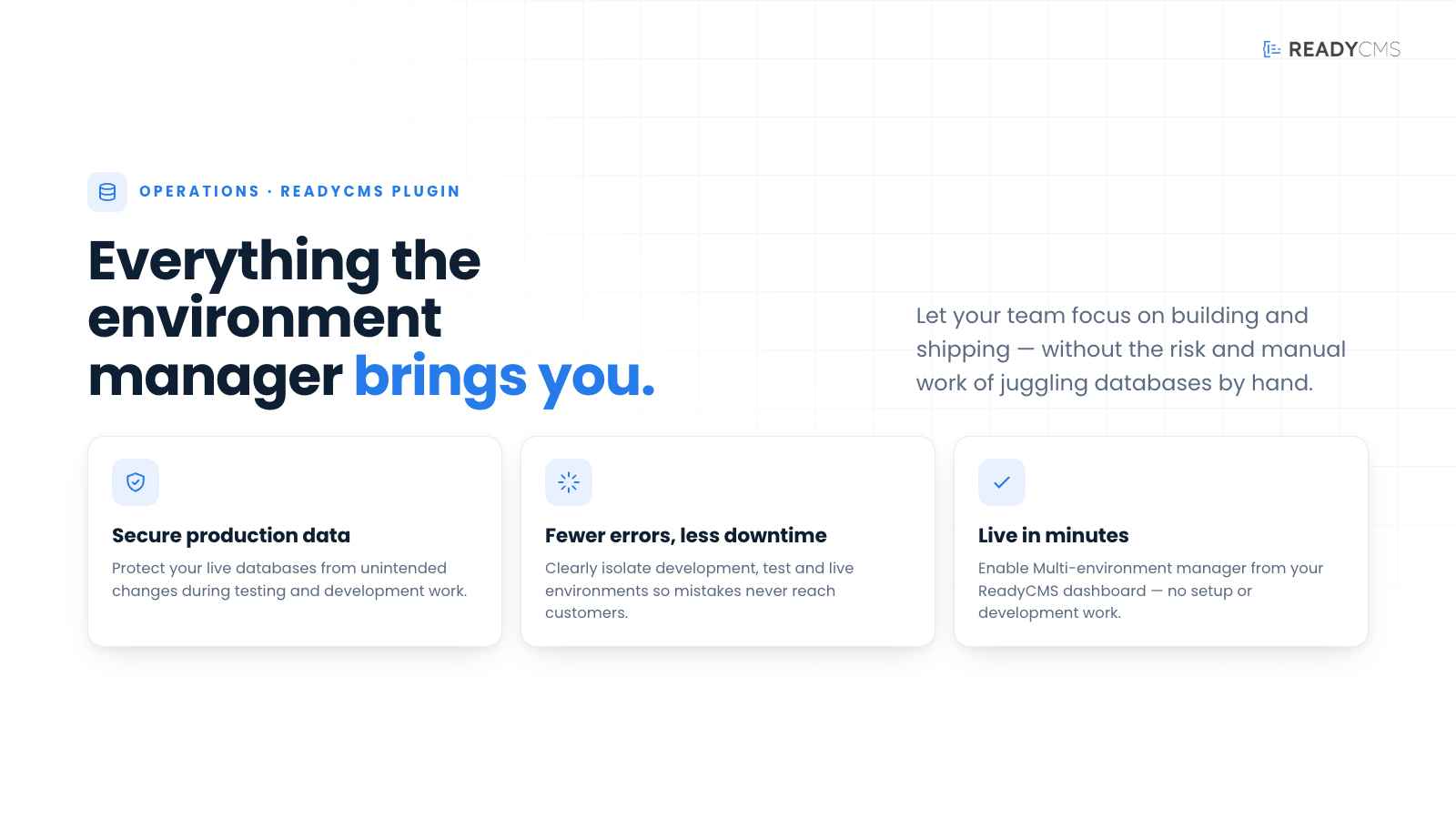
- Secure production databases: Protect your live site databases from unintended modifications during testing and development.
- Risk mitigation: Minimize the risk of errors or downtime by clearly isolating your development, test, and live environments.
- Streamlined configuration: Effortlessly manage database connections, API keys, and settings specific to each environment from one intuitive interface.
How it works
Once activated, you are able to control environments directly within ReadyCMS. Each environment has unique settings, keeping your production database and data secure and stable.
With the Multi-environment manager, switching between environments in ReadyCMS is not only functional but also visually intuitive.
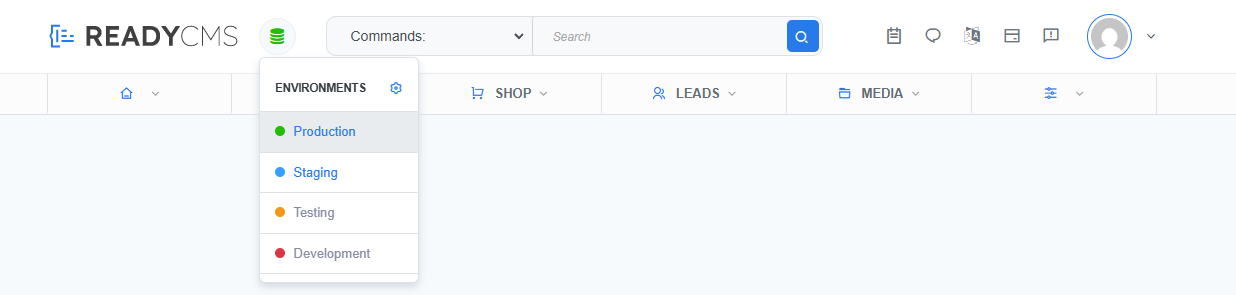
You can easily switch between environments like Production, Staging, Testing, and Development via a simple dropdown in the admin panel.
When working in a non-production environment (such as staging or dev), a colored banner appears at the top of your screen to remind you which environment is active. This helps you avoid unintended changes to your live website.
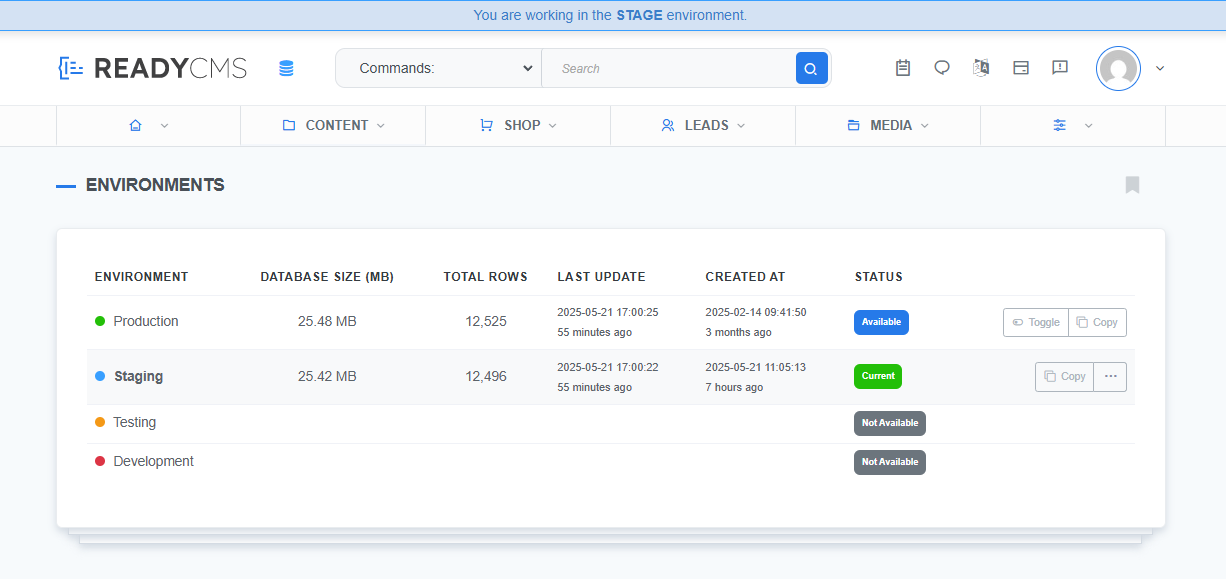
The visual banner alerts you when you're working outside of Production.
Guide
- Activate the plugin
- Enable the Multi-Environment Manager plugin from your ReadyCMS dashboard.
- Create your environments
- Click on the ⚙ button to access Environment settings
- Set each environment separately (Staging, Testing, Development; Production is the default).
- Secure database handling
- When you create a new environment (e.g., Testing), you work with a copy of your Production environment database.
- That way, you can safely make changes without impacting the main Production environment and its database.
- Effortless switching
- Switch between environments seamlessly to validate changes without risk to your live site.
- Monitor and maintain
- Continuously track environment statuses and make configuration adjustments effortlessly.
Copying environments
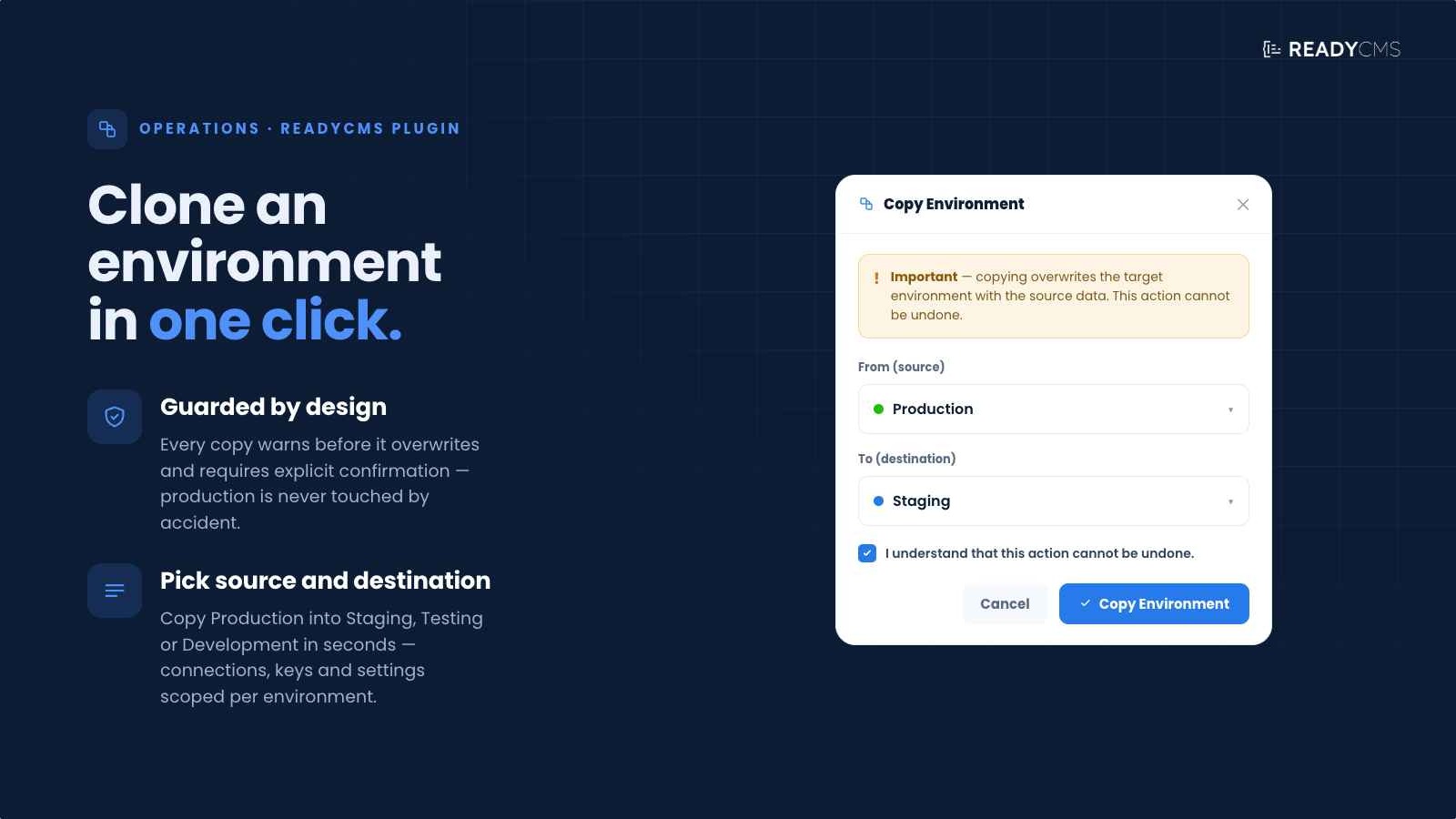
One powerful feature is the ability to clone entire environments.
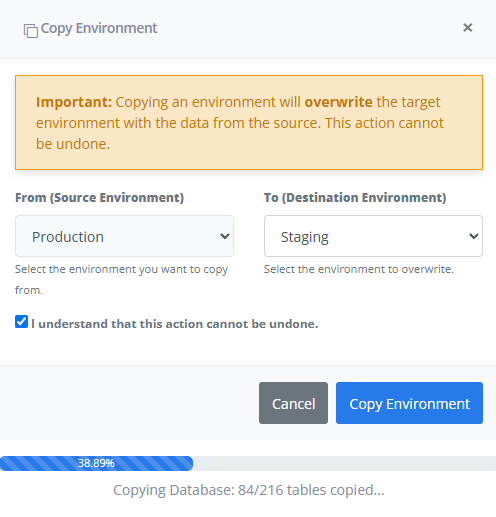
Easily copy your production environment to staging or testing with one click.
This action overwrites the target environment and is helpful when syncing test environments with live data. Always review the warning, as you can't undo the process.
Compare environment data at a glance
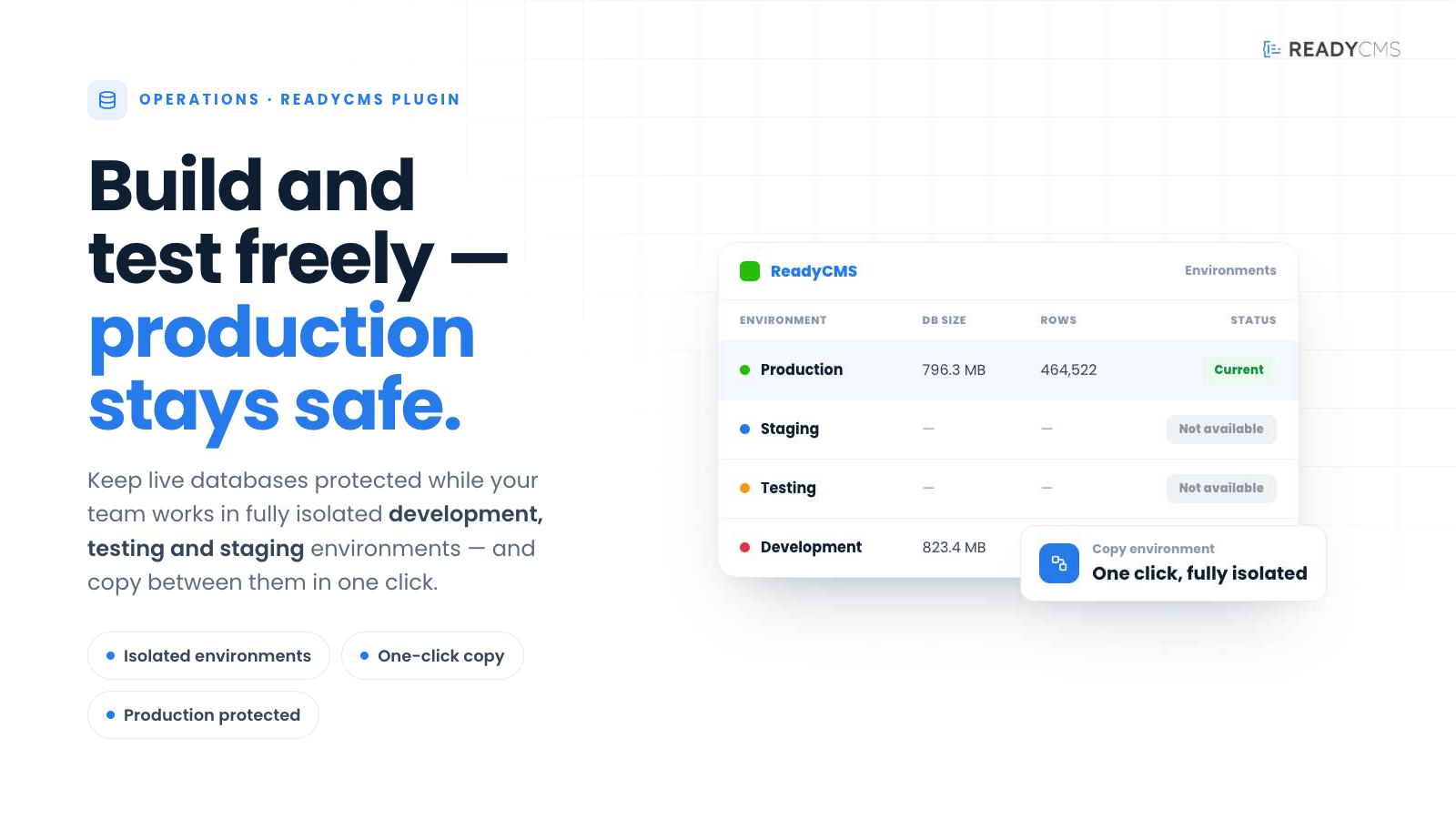
You can quickly spot differences between environments, such as total rows and database size, so developers or admins can identify which environment is freshest or has recent changes.
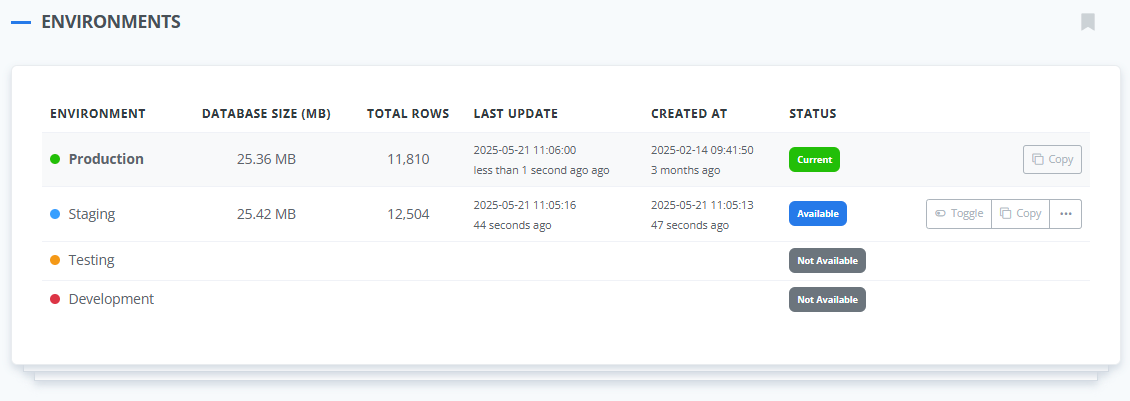
Detailed overview of database size, row count, and timestamps for each environment.
Each environment entry in the overview panel provides useful metadata to help developers and admins quickly assess the status and recency of data across environments:
- Database size (MB): This displays the total size of the database for that environment. It helps monitor growth or identify bloated environments.
- Total rows: Indicates the number of database records (rows) present. This is a quick indicator of how populated or updated the environment is.
- Last update: Shows the exact time the environment was last updated. It is especially helpful when you want to confirm that a staging or testing environment is in sync with production.
- Created at: Displays the date and time when the environment was first initialized.
- Status: Indicates whether the environment is currently active (e.g., "Current" for the one in use), available for toggling, or not yet enabled.
For example, by comparing row counts or last-update timestamps, developers can easily tell which environment has the latest data and whether it's time to sync staging with production or refresh the test environment.
Developer tip: Use API environment targeting
When working with the ReadyCMS API, developers can control which environment they interact with using the environment parameter. This allows full flexibility across staging, testing, and production workflows.
For example, to target the staging environment via API, simply pass:
| Environment name | API value |
|---|---|
| Production | prod |
| Staging | stage |
| Testing | test |
| Development | dev |
For example, to target the staging environment via API, simply pass:
?environment=stage
FAQ
Q1: What is the main advantage of using the Multi-Environment Manager plugin?
A1: The main advantage is the ability to manage multiple environments securely and independently, significantly reducing the risk of errors impacting your live production site.
Q2: Can I manage API access separately for each environment?
A2: Absolutely! You can independently configure API keys for development, testing, staging, and production environments.
Q3: Who can benefit most from this plugin?
A3: This plugin is ideal for businesses, developers, and IT professionals who manage multiple environments and need reliable separation of production and testing systems.
Q4: Does this plugin require extensive technical knowledge?
A4: Not at all. The intuitive ReadyCMS interface simplifies environment management even for users without extensive technical backgrounds.
Build more with ReadyCMS
Explore the full plugin marketplace or book a demo to see them in action.